
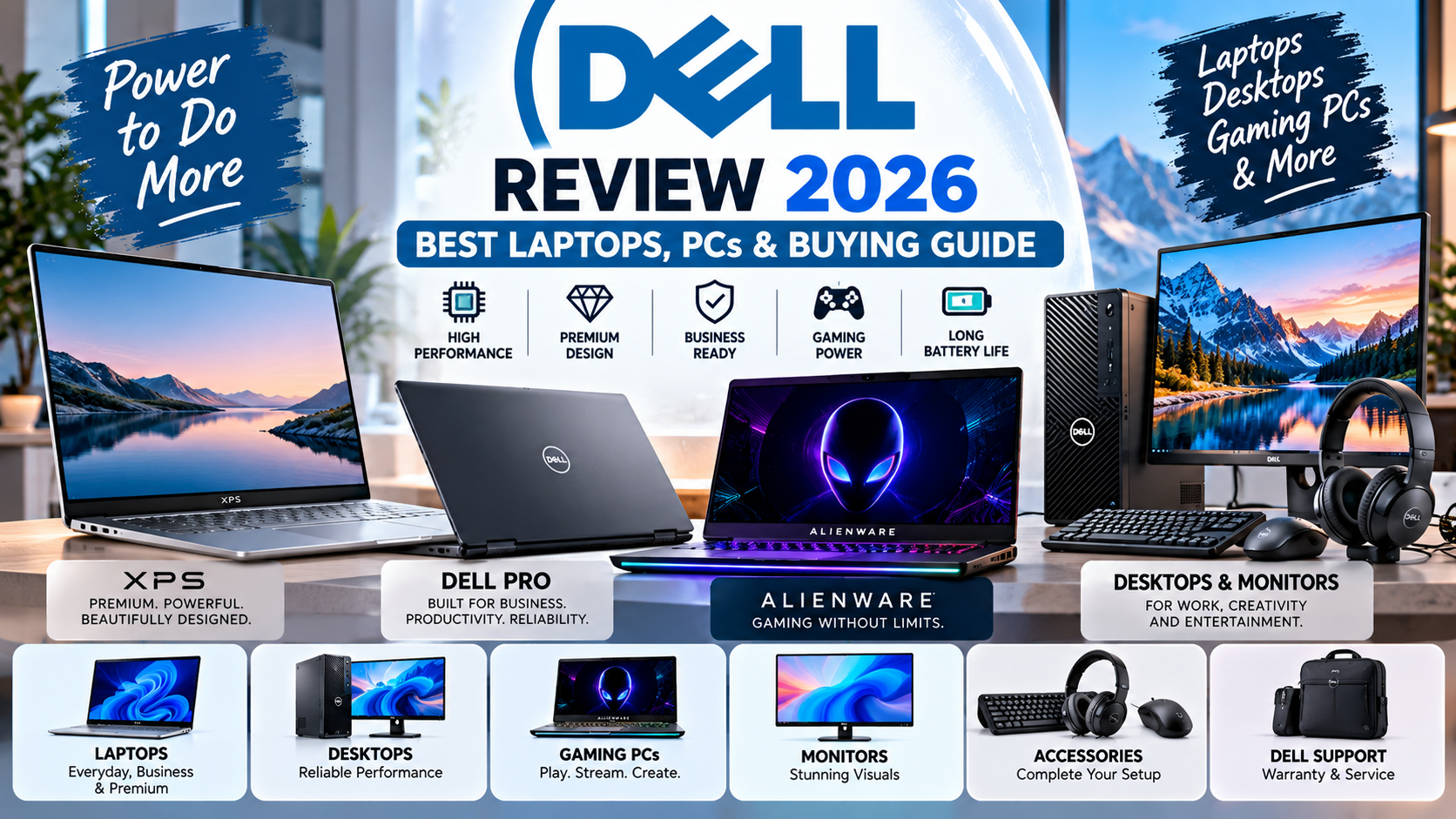
Dell is one of the best-known names in the computer industry, offering laptops, desktop computers, gaming systems, monitors, accessories, and business technology. Its products serve a wide range of users, from students and home-office workers to professional creators, businesses, and serious gamers.
In 2026, Dell continues to offer computers for different budgets and performance requirements. Its product lineup includes everyday Dell laptops, premium XPS models, professional Dell Pro systems, powerful Dell Pro Max workstations, and Alienware gaming computers. The company has also refreshed its XPS lineup, bringing new designs and hardware options to premium laptop buyers. Dell's official product lineup provides details about available devices and configurations.
But is Dell worth buying in 2026? Which Dell laptop is best for students, professionals, or gamers? How should shoppers compare specifications, prices, battery life, and warranty options?
This comprehensive Dell review explains the company's product categories, important features, advantages and disadvantages, buying tips, and ways to find a computer that meets your needs.
What Is Dell?
Dell is a technology company known for personal computers, enterprise hardware, displays, accessories, and IT solutions. Its products are used by individuals, schools, businesses, and organizations around the world.
The company operates within Dell Technologies and offers products through its official website and various authorized retailers.
Dell's computer portfolio includes several categories:
Everyday laptops and desktop computers
Premium XPS laptops
Professional Dell Pro computers
Dell Pro Max workstations
Alienware gaming laptops and desktops
Monitors and computer accessories
Each category serves a different purpose. A basic laptop may be suitable for browsing and office documents, while a professional workstation is designed for more demanding applications.
Understanding these differences is important because the most expensive Dell computer is not necessarily the best choice for every buyer.
Best Dell Laptop and Computer Categories in 2026
1. Dell Laptops for Everyday Use
Dell's mainstream laptops are designed for common tasks such as web browsing, online classes, document editing, video calls, streaming, and general productivity.
These computers may suit users who want a practical laptop without paying for specialized gaming or workstation hardware.
Best for:
Students
Home users
Office workers
Online learning
Everyday browsing and entertainment
When comparing everyday Dell laptops, check the processor, RAM, SSD storage, display quality, keyboard, battery life, and available ports.
For basic tasks, a well-configured midrange laptop can offer better value than a premium device with features you may rarely use.
2. Dell XPS: Premium Laptops
The XPS range is Dell's premium laptop family, designed for shoppers who value refined construction, portability, display quality, and strong performance.
In January 2026, Dell announced redesigned XPS 14 and XPS 16 laptops, along with plans to expand the lineup further. The announced models feature updated designs, Intel Core Ultra Series 3 processors, and selected OLED display configurations. Availability and specifications depend on the model and market. Read Dell's CES 2026 announcement.
Best for:
Professionals who travel frequently
Users who prefer premium laptop designs
Multitasking and productivity
Selected creative applications
People who prioritize display quality and portability
XPS laptops can be more expensive than mainstream models. Before purchasing one, decide whether its display, construction, portability, and performance justify the additional cost for your particular needs.
3. Dell Pro: Business and Professional Computers
Dell Pro computers are designed for professional environments, including offices, small businesses, and organizations that need dependable productivity systems.
Depending on the configuration, these products can offer business-oriented security features, professional support options, modern connectivity, and hardware suited to daily workloads.
Dell's current commercial portfolio includes Dell Pro laptops, desktops, monitors, and related accessories. The company introduced additional commercial designs in March 2026. Official Dell commercial portfolio announcement.
Best for:
Office employees
Small-business owners
Remote workers
Corporate IT environments
Professionals who need business support options
Businesses should compare warranty coverage, device-management capabilities, security features, and repair arrangements in addition to hardware specifications.
4. Dell Pro Max: High-Performance Workstations
Dell Pro Max systems target users who need more computing power for demanding professional workloads.
Depending on the model, these systems may be suitable for software development, engineering applications, 3D work, advanced content creation, and other tasks that require powerful processors, graphics capabilities, or substantial memory.
Best for:
Engineers and designers
Professional content creators
Developers with demanding workloads
Technical professionals
Businesses running specialized applications
A workstation can be an expensive purchase, so check the recommended hardware requirements for the software you use. Some applications depend heavily on graphics performance, while others benefit more from processor speed, memory, or storage.
For basic office work, a workstation may provide more power than necessary.
5. Alienware: Dell Gaming Computers
Alienware is Dell's gaming-focused brand. It offers gaming laptops and desktops designed for demanding games and other graphics-intensive tasks.
Depending on the configuration, Alienware computers can feature powerful processors, dedicated graphics cards, high-refresh-rate displays, and enhanced cooling systems.
Best for:
PC gamers
Streamers
Users who run graphics-intensive applications
Enthusiasts who want high-performance hardware
Before buying an Alienware system, consider the games you play, your preferred resolution, and the graphics performance you actually need.
A powerful graphics card can improve gaming performance, but it may also increase the price, power consumption, and heat output. A more affordable gaming laptop may be sufficient for less demanding games.
Dell Computers Comparison Table
Product category | Best suited for | Main consideration |
|---|---|---|
Dell everyday laptops | Students and home users | Value and essential features |
Dell XPS | Premium productivity and portability | Price and configuration |
Dell Pro | Business and office work | Security and support |
Dell Pro Max | Demanding professional workloads | Processing and graphics power |
Alienware | Gaming and intensive graphics | Performance, cooling, and cost |
Dell monitors | Work, entertainment, and gaming | Display quality and connectivity |
Product names and configurations can change over time. Always check the official product listing for the exact specifications available in your country.
How to Choose the Best Dell Laptop
Choosing the right Dell laptop starts with understanding how you plan to use it.
1. Choose the Right Processor
The processor, or CPU, affects how efficiently a computer handles applications and multitasking.
For everyday browsing, documents, and online classes, an entry-level or midrange processor may be sufficient.
For heavier workloads such as software development, video editing, or advanced data processing, compare more powerful processor options and independent performance tests.
Do not select a laptop based only on the processor's marketing name. Different generations and configurations can offer different levels of performance and efficiency.
2. Check RAM Capacity
RAM helps a computer manage active applications and tasks.
For a basic computer, 8GB may be sufficient for light usage, but 16GB is a more practical starting point for many people who multitask regularly. Demanding creative applications, virtual machines, and specialized workloads may benefit from 32GB or more.
The ideal amount depends on your applications and operating system.
Also check whether the RAM is upgradeable. Some slim laptops use memory that cannot be replaced easily after purchase.
3. Choose SSD Storage
Solid-state drives, or SSDs, generally offer faster startup and application-loading times than traditional mechanical hard drives.
Consider how much space you need for applications, files, photos, videos, and games.
256GB: May work for light users who rely on cloud storage.
512GB: A practical choice for many students and office users.
1TB or more: Worth considering for large projects, video files, and extensive game libraries.
These are general guidelines rather than strict requirements. Your ideal storage capacity depends on your workflow and budget.
4. Consider Display Quality
The display affects how comfortable a laptop is to use.
Check screen size, resolution, brightness, viewing angles, color reproduction, and whether the display has a touchscreen or OLED technology.
For people who spend long hours reading documents, a clear display with comfortable brightness can be more useful than an expensive screen feature they rarely notice.
Creative professionals should also check color accuracy and the display's supported color range.
5. Compare Battery Life
Battery life matters for students, travelers, and professionals who frequently work away from a power outlet.
Manufacturer battery estimates are usually based on particular test conditions. Real-world performance varies according to screen brightness, applications, network activity, hardware configuration, and battery age.
Look for independent tests of the exact model when battery life is a major priority.
6. Check Keyboard and Connectivity
If you type frequently, keyboard comfort is important. Try the keyboard if possible and check the placement of commonly used keys.
Also consider the ports you need, such as USB-A, USB-C, HDMI, an audio jack, or an SD card reader. Some thin laptops have limited ports and may require a docking station or adapter.
7. Review Warranty and Repair Options
Warranty coverage can vary according to the product, purchase location, and support plan.
Before buying, confirm the warranty duration, repair options, and availability of local service. This is especially important if you plan to use the computer for business or professional work.
Dell provides an official support and warranty portal where eligible customers can check service coverage and related support information.
Is Dell Good for Students?
Dell can be a suitable choice for students because its product range covers everyday computing and more demanding educational workloads.
A student who mainly uses a browser, word processor, presentation software, and video conferencing may not need a high-performance workstation.
A computer science student, engineering student, or design student may need stronger hardware depending on the software required by their course.
Before buying a Dell laptop for education, consider:
Weight and portability
Battery life
Keyboard comfort
RAM and storage
Software compatibility
Warranty and repair support
Total price, including necessary accessories
If you expect to carry your laptop to class every day, portability may be more important than having the largest screen.
Is Dell Good for Business?
Dell offers several computer categories suited to business use. The best choice depends on the size of the organization, security requirements, software, and support expectations.
Small businesses may prefer cost-effective laptops for email, accounting, office documents, and online meetings. Larger organizations may prioritize centralized management, security features, consistent hardware configurations, and service agreements.
When purchasing computers for employees, consider the total cost of ownership rather than the purchase price alone.
This includes maintenance, repairs, downtime, warranty support, software compatibility, and the time required to manage devices.
A slightly more expensive business-oriented computer may be worthwhile if it provides support options or features that meaningfully reduce operational problems.
Are Dell Gaming Laptops Worth It?
Dell's Alienware computers target gamers who want dedicated graphics performance and hardware designed for demanding workloads.
Whether a gaming laptop is worth the price depends on the games you play, your performance expectations, and how often you travel.
Before purchasing, compare:
Graphics processor: This is one of the most important components for demanding games.
Cooling: Powerful components generate heat. Cooling design can affect sustained performance and fan noise.
Display: Resolution and refresh rate should match the performance your hardware can deliver.
Memory and storage: Modern games can require substantial storage, and multitasking may benefit from additional RAM.
Portability: Gaming laptops can be heavier and have shorter battery life during demanding workloads than ordinary laptops.
Upgrade options: Check whether storage and memory can be upgraded later.
For someone who mainly plays casual games, a more affordable laptop may be sufficient. Serious gamers should compare specific configurations rather than relying on the Alienware name alone.
Dell vs. Other Computer Brands
Dell competes with brands such as Lenovo, HP, ASUS, Acer, and Apple.
No single brand is the best choice for everyone. Each company sells multiple product categories, and the quality and value of individual models can vary.
Factor | What to compare |
|---|---|
Price | Total cost for similar specifications |
Performance | CPU, RAM, graphics, and storage |
Build quality | Materials, hinges, keyboard, and chassis |
Battery life | Independent tests and real-world usage |
Display | Brightness, resolution, and color quality |
Support | Warranty, repairs, and service availability |
Upgradeability | Access to memory, storage, and replacement parts |
When comparing a Dell laptop with a Lenovo or HP model, try to compare devices with similar specifications and intended uses.
For example, a premium Dell XPS laptop should be compared with other premium ultraportables rather than an entry-level laptop from another brand.
Similarly, an Alienware gaming system should be compared with gaming-focused alternatives using comparable graphics hardware.
Advantages and Disadvantages of Dell
Advantages
Broad product range: Dell offers computers for everyday use, business, gaming, and professional workloads.
Multiple configurations: Buyers can often compare different processors, memory capacities, storage options, and displays.
Premium options: The XPS family provides premium designs and display choices.
Business-focused systems: Dell Pro products are designed for professional computing environments.
Gaming portfolio: Alienware gives gamers access to dedicated gaming hardware.
Support resources: Dell provides official drivers, troubleshooting information, and warranty tools.
Disadvantages
Prices vary widely: Premium and gaming models can become expensive.
Configuration differences: Two computers with similar names may have significantly different hardware.
Battery life varies: Powerful systems may require more frequent charging under heavy workloads.
Upgradeability differs: Some thin laptops have limited upgrade options.
Regional availability: Product configurations, prices, warranty terms, and delivery options may vary between countries.
Not every model suits every user: A computer designed for gaming or professional graphics may be unnecessary for basic office work.
How to Find the Best Dell Deals in 2026
Buying a Dell computer during a promotion or choosing an older generation can sometimes reduce the cost.
However, a discount is only valuable if the computer meets your requirements.
Compare Configurations
Check the processor, memory, storage, display, graphics, and operating system. A lower-priced model may have less RAM or a smaller SSD.
Look for Previous-Generation Models
Older models can provide good value if their performance and software support meet your needs. Confirm that the device still receives appropriate security updates.
Compare Authorized Retailers
Check the official Dell store and reputable retailers. Compare the final price, warranty, included accessories, and return policy.
Consider Refurbished Computers Carefully
Refurbished Dell computers may be cheaper than new models, but inspect the seller's refurbishment standards, battery condition, warranty, and return terms.
Calculate the Total Cost
Consider adapters, external monitors, docking stations, software, shipping, taxes, and any import duties.
Avoid Suspiciously Cheap Listings
Unusually low prices may indicate used, refurbished, incorrectly described, or counterfeit products. Verify the seller and product details before paying.
Buying Dell Computers in Pakistan
Shoppers in Pakistan should check the local product selection, pricing, warranty eligibility, and service options before making a purchase.
The official Dell Pakistan website is a useful starting point for exploring products and support information.
If you are purchasing through a local retailer, ask whether the computer is new or refurbished and whether its warranty is valid locally. For imported devices, verify the service coverage and ownership-transfer requirements.
Also compare the complete price rather than the advertised price alone. Shipping, import duties, taxes, and repair costs can affect the total value.
If buying a used Dell laptop, inspect the screen, keyboard, ports, battery health, charger, and physical condition. Check the device's service information and ensure that the seller can provide a valid purchase record.
How to Maintain Your Dell Laptop
Proper care can help keep a Dell computer functioning well over time.
Install software updates: Keep the operating system and supported applications updated.
Use official drivers: Download appropriate drivers from Dell's support website.
Keep vents clear: Avoid blocking cooling vents while using the computer.
Protect against physical damage: Use a suitable carrying case when traveling.
Back up important files: Keep copies of important documents in a secure location.
Manage battery use: Follow Dell's battery-care recommendations for your model.
Clean carefully: Use manufacturer-approved methods to clean the display and keyboard.
Monitor performance: Investigate unusual overheating, unexpected shutdowns, or persistent hardware errors.
If a problem occurs, Dell's official support tools can help identify drivers, warranty status, troubleshooting guides, and service options.
Frequently Asked Questions About Dell
1. Is Dell a good computer brand?
Dell offers a broad selection of computers for everyday use, professional work, and gaming. The best choice depends on the specific model, configuration, price, and support available in your region.
2. Which Dell laptop is best for students?
A mainstream Dell laptop may be suitable for general coursework, browsing, and video calls. Students using demanding engineering, design, or computing software should check the recommended specifications for those applications.
3. What is the difference between Dell and XPS?
Dell is the broader brand, while XPS is its premium laptop family. XPS models generally focus on refined design, portability, displays, and performance.
4. What is Alienware?
Alienware is Dell's gaming-focused brand, offering gaming laptops and desktops with hardware designed for demanding games and graphics-intensive applications.
5. Are Dell laptops good for business?
Dell offers professional computer ranges designed for business productivity. Buyers should compare security, management features, warranty coverage, and support requirements.
6. How much RAM should a Dell laptop have?
Eight gigabytes may be sufficient for light tasks, while 16GB is a practical starting point for many users who multitask. Demanding applications may require 32GB or more.
7. Are Dell refurbished laptops worth buying?
They can offer value if the device is in good condition and comes from a reputable seller with a clear warranty and return policy. Check battery health and hardware specifications carefully.
8. How can I check my Dell laptop's warranty?
Use Dell's official support website to check service coverage and warranty information using the relevant device details.
9. Can Dell laptops be upgraded?
Upgrade options vary by model. Some systems allow memory or storage upgrades, while others have components that are soldered or difficult to replace. Check the service manual before purchasing.
10. Is Dell better than HP or Lenovo?
There is no universal winner. Compare models with similar specifications, prices, build quality, battery life, and warranty coverage to determine which is better for your needs.
11. Are Dell computers good for gaming?
Dell's Alienware systems are designed for gaming, while some mainstream Dell computers may handle lighter games. Choose a model based on the graphics performance required by your games.
12. Where can I buy Dell computers?
You can explore products through the official Dell website and reputable retailers. Verify product authenticity, warranty eligibility, and return conditions before completing a purchase.
Final Verdict: Is Dell Worth Buying in 2026?
Dell remains a brand worth considering for shoppers looking for laptops, desktops, monitors, and specialized computer systems.
Its mainstream laptops can serve students and everyday users, XPS models target premium laptop buyers, Dell Pro systems serve professional environments, Dell Pro Max workstations address demanding workloads, and Alienware products cater to gamers.
The best purchase depends on your budget, intended use, hardware requirements, and access to reliable support.
Before buying, compare the exact specifications, read trustworthy reviews, check the warranty, and calculate the full cost. A carefully chosen midrange computer can be a better investment than an expensive system with features you do not need.
Bottom line: Dell offers options for many types of users, but the right model—not just the brand name—determines whether a computer provides good value.


