
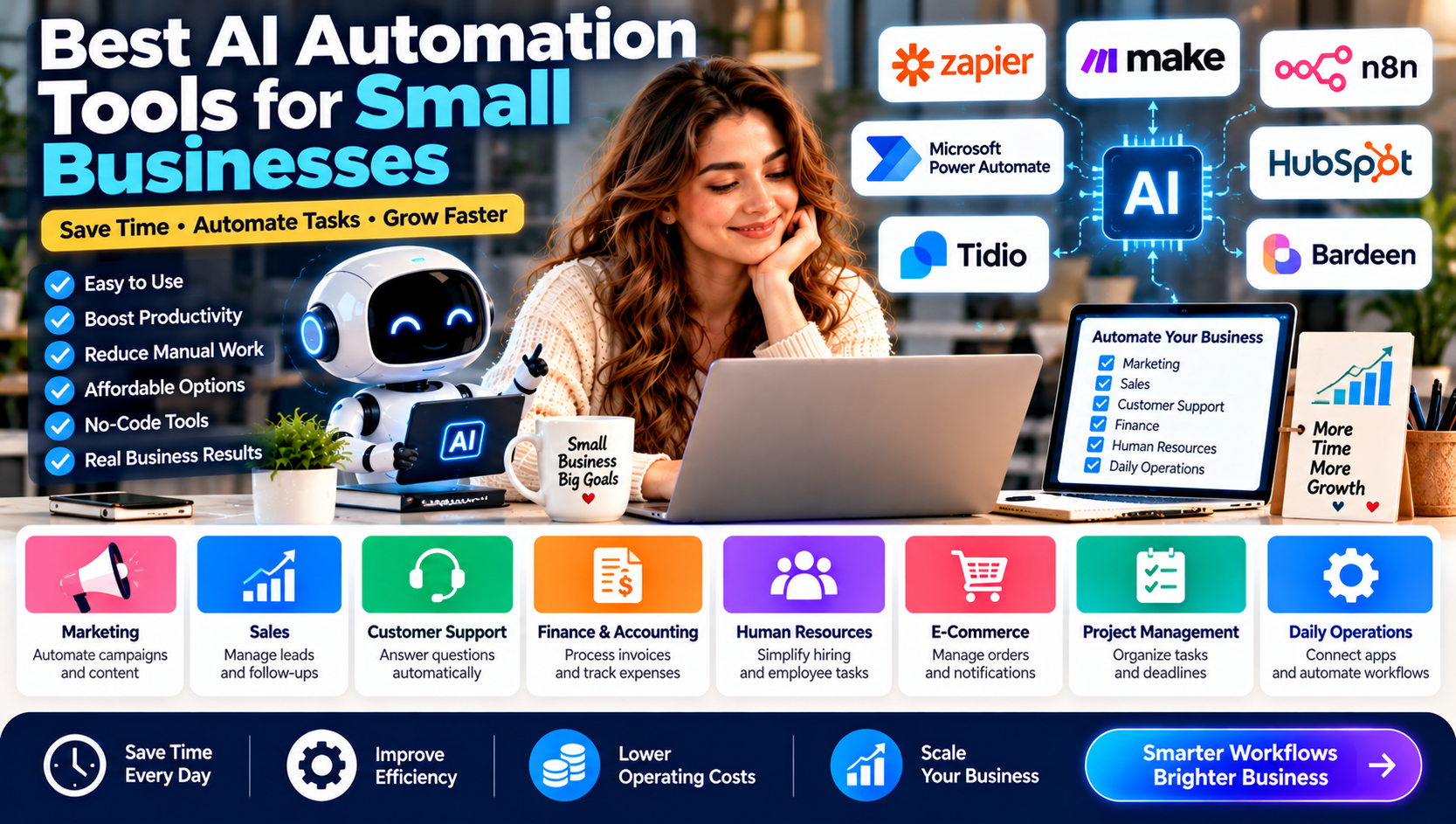
Running a small business involves managing multiple responsibilities, from marketing and customer support to sales, accounting, and daily operations. Many of these activities require repetitive manual work that consumes valuable time and resources.
Artificial intelligence (AI) automation tools help businesses simplify these processes by connecting applications, organizing information, generating content, responding to customers, and managing routine workflows.
In 2026, small businesses no longer need large IT departments or expensive enterprise software to benefit from automation. No-code and low-code platforms make it possible for business owners to automate everyday tasks with relatively little technical knowledge.
But with so many platforms available, choosing the right solution can be challenging.
This guide explores the best AI automation tools for small businesses, their key features, practical applications, advantages, limitations, and how to select the right platform.
What Are AI Automation Tools?
AI automation tools are software platforms that use artificial intelligence, predefined rules, and integrations to complete tasks with less human involvement.
Traditional automation follows predefined instructions. AI-powered automation can also interpret information, classify content, summarize documents, generate responses, and support decisions.
For example, a small marketing agency could create an automated workflow that:
Receives a new customer inquiry through its website.
Adds the customer's information to a CRM.
Uses AI to categorize the inquiry.
Sends an acknowledgment email.
Notifies the sales team.
Creates a follow-up task.
Instead of manually handling every step, the business can manage the entire process through an automated workflow.
Best AI Automation Tools for Small Businesses in 2026
The following platforms serve different business needs. Some focus on connecting applications, while others specialize in customer relationships, AI-powered workflows, or advanced automation.
1. Zapier – Best Overall AI Automation Tool
Best for: Small businesses that want easy, no-code automation.
Zapier is one of the most accessible automation platforms for businesses that need to connect their existing software. It allows users to create automated workflows, known as Zaps, between different applications.
Businesses can use Zapier to connect tools for email marketing, customer management, project management, online forms, and communication.
Key Features:
Connects thousands of business applications.
Automates repetitive workflows.
Supports multi-step automation.
Offers AI-powered workflow capabilities.
Provides triggers, actions, and conditional logic.
Helps teams connect applications without extensive coding.
Practical Business Examples:
A small business can automatically add website leads to a CRM, send welcome emails, notify employees about new orders, and organize customer information.
Advantages:
Beginner-friendly interface.
Extensive application integrations.
Suitable for common business workflows.
Reduces manual data entry.
Limitations:
Usage-based billing can become expensive as automation volume increases.
Complex workflows may require more advanced configuration.
Some integrations and features depend on subscription plans.
Verdict: Zapier is a strong starting point for small businesses that want to automate everyday tasks without hiring developers.
2. Make – Best for Visual Workflow Automation
Best for: Businesses that need flexible, multi-step automation.
Make, formerly known as Integromat, provides a visual workflow builder that allows businesses to connect applications and design complex automation scenarios.
Its visual interface helps users understand how information moves between different applications.
Key Features:
Drag-and-drop workflow builder.
Multi-step automation scenarios.
Conditional routing and filters.
Data transformation capabilities.
AI integrations and automation modules.
Connections with popular business applications.
Practical Business Examples:
An online store can use Make to receive new orders, update inventory records, generate order notifications, and send customer confirmation messages.
A marketing agency can automate lead collection, organize prospect information, and distribute tasks among team members.
Advantages:
Flexible visual workflow design.
Useful for complex automation.
Detailed control over workflow steps.
Offers a free entry-level option.
Limitations:
Has a learning curve for beginners.
Complex scenarios can be difficult to maintain.
Credit consumption depends on workflow activity and certain AI operations.
Verdict: Make is an excellent choice for businesses that need more visual control over their automated processes.
3. n8n – Best for Technical Flexibility and Custom AI Workflows
Best for: Businesses with technical knowledge or developer support.
n8n is a workflow automation platform that allows businesses to connect applications, APIs, databases, and AI services.
It is particularly useful for companies that want more customization and control over how their automation systems operate.
Key Features:
Visual node-based workflow builder.
API and webhook integrations.
Custom JavaScript and Python capabilities.
AI agent and language-model integrations.
Self-hosting options.
Advanced workflow logic.
Practical Business Examples:
A technology company can build a workflow that collects information from multiple sources, processes it with an AI model, stores the results in a database, and sends a report to the relevant team.
A digital marketing agency can automate research, data collection, reporting, and internal notifications.
Advantages:
Highly customizable.
Self-hosting provides infrastructure control.
Suitable for advanced AI workflows.
Flexible API integrations.
Limitations:
Requires more technical knowledge than beginner-focused platforms.
Self-hosting requires server maintenance and security management.
AI model usage may involve additional costs.
Verdict: n8n is a strong option for businesses that want greater technical flexibility and are comfortable managing more advanced workflows.
4. Microsoft Power Automate – Best for Microsoft 365 Businesses
Best for: Businesses already using Microsoft products.
Microsoft Power Automate helps organizations automate tasks across Microsoft 365 and other connected applications.
It supports cloud-based workflows and desktop automation, allowing businesses to automate repetitive activities across software systems.
Key Features:
Microsoft 365 integrations.
Automated approval workflows.
Desktop automation and robotic process automation.
Data collection and processing.
AI Builder capabilities.
Integration with Microsoft Teams, SharePoint, Excel, and other services.
Practical Business Examples:
A small company can automatically route employee leave requests for approval, save documents in SharePoint, send notifications through Teams, and update records in Excel.
Advantages:
Strong Microsoft ecosystem integration.
Useful for administrative workflows.
Supports desktop and cloud automation.
Suitable for structured business processes.
Limitations:
Licensing can be confusing.
Premium connectors may require additional licensing.
Businesses using many non-Microsoft applications may need extra configuration.
Verdict: Power Automate is a practical choice for small businesses that already depend on Microsoft 365.
5. HubSpot – Best for CRM and Marketing Automation
Best for: Businesses that want to manage customer relationships and automate marketing.
HubSpot provides customer relationship management (CRM), sales, marketing, and customer service capabilities.
Its automation features help businesses manage leads, organize customer information, create follow-up workflows, and improve communication.
Key Features:
Contact and lead management.
Email marketing automation.
Sales pipeline management.
Customer activity tracking.
Workflow automation.
AI-assisted content and productivity features.
Practical Business Examples:
A small agency can capture website leads, organize prospects in its CRM, assign sales representatives, and automate follow-up activities.
Advantages:
Centralized customer information.
Useful marketing and sales tools.
Helps manage customer relationships.
Offers entry-level CRM capabilities.
Limitations:
Advanced automation features may require higher-tier subscriptions.
Costs can increase as contact databases and business requirements grow.
Some advanced features require additional setup.
Verdict: HubSpot is worth considering for businesses that prioritize lead management, customer relationships, and marketing operations.
6. Tidio – Best for AI Customer Support
Best for: Small businesses and online stores that need automated customer assistance.
Tidio combines live chat, customer communication, and AI-powered support capabilities.
Its AI customer service features can help businesses answer common questions, provide product information, and assist customers when human representatives are unavailable.
Key Features:
Website live chat.
AI-powered customer support.
Automated customer responses.
Customer conversation management.
E-commerce support integrations.
Human-agent handoff options.
Practical Business Examples:
An online store can use AI support to answer frequently asked questions about shipping, returns, product details, and order information.
Advantages:
Helps improve response times.
Reduces repetitive support inquiries.
Useful for e-commerce businesses.
Combines automated and human support.
Limitations:
Not designed to automate every department.
AI conversation allowances and features depend on the plan.
Complex customer problems may still require human support.
Verdict: Tidio is a useful specialized option for businesses that receive frequent customer questions through their websites.
7. Bardeen – Best for Browser-Based Business Tasks
Best for: Sales teams, researchers, and businesses handling repetitive browser activities.
Bardeen focuses on automating tasks involving websites, browser-based applications, and business information.
It can help users collect data, organize research, and move information between connected tools.
Key Features:
Browser-based automation.
Data extraction from websites.
Workflow templates.
Application integrations.
AI-assisted data processing.
Repetitive research and lead-generation workflows.
Practical Business Examples:
A sales team can collect publicly available business information, organize prospect records, and transfer relevant information into its CRM.
Advantages:
Useful for repetitive browser tasks.
Helps reduce manual research.
Supports lead-generation workflows.
Can simplify information collection.
Limitations:
Best suited to specific browser-related tasks.
Website changes can affect automation reliability.
Users should respect website terms, privacy requirements, and applicable data protection laws.
Verdict: Bardeen is worth evaluating when browser-based research and repetitive data collection consume significant business time.
Quick Comparison: Best AI Automation Tools
Tool | Best For | Technical Skill |
|---|---|---|
Zapier | General business automation | Beginner |
Make | Visual, multi-step workflows | Beginner to intermediate |
n8n | Custom AI and API workflows | Intermediate to advanced |
Power Automate | Microsoft 365 automation | Beginner to intermediate |
HubSpot | CRM and marketing automation | Beginner |
Tidio | AI customer support | Beginner |
Bardeen | Browser-based automation | Beginner to intermediate |
Note: Pricing, usage limits, integrations, and feature availability vary by subscription, region, and billing arrangement. Check each provider's official pricing page before purchasing.
How Small Businesses Can Use AI Automation
AI automation can support nearly every department of a small business. The best starting point is to identify repetitive activities that consume time but do not require constant human judgment.
1. Marketing Automation
Marketing teams can automate:
Social media content preparation.
Email campaign workflows.
Lead collection and organization.
Marketing performance reports.
Customer segmentation.
Content research and summarization.
For example, a business can collect leads from a landing page, organize them in a CRM, and trigger a welcome email automatically.
2. Sales Automation
AI automation can help sales teams:
Organize new leads.
Categorize customer inquiries.
Schedule follow-up reminders.
Update CRM records.
Prepare sales summaries.
Track opportunities.
These workflows allow sales representatives to spend more time communicating with potential customers.
3. Customer Support Automation
Customer support is another area where automation can deliver practical benefits.
Businesses can use AI-powered systems to:
Answer frequently asked questions.
Provide basic product information.
Route inquiries to the correct department.
Summarize customer conversations.
Send order and service notifications.
However, sensitive complaints, financial issues, and complicated customer problems should remain accessible to human representatives.
4. Finance and Accounting
Automation can reduce administrative work by helping businesses:
Organize invoices.
Extract information from documents.
Send payment reminders.
Categorize expenses.
Generate financial summaries.
Route invoices for approval.
Financial records should be reviewed carefully. AI-generated classifications and calculations should not replace proper accounting controls.
5. Human Resources
Small businesses can automate parts of their HR operations, including:
Interview scheduling.
Employee onboarding checklists.
Document collection.
Leave request notifications.
Training reminders.
Internal communication.
Human review remains important for recruitment decisions, employee evaluations, and sensitive personnel matters.
6. E-Commerce Operations
Online stores can automate:
Order notifications.
Inventory alerts.
Customer support inquiries.
Product information updates.
Shipping notifications.
Customer feedback collection.
Automation can help store owners manage growing order volumes without increasing every manual task.
Benefits of AI Automation for Small Businesses
AI automation can provide several operational advantages.
1. Saves Time: Repetitive activities can run automatically, allowing employees to focus on more valuable responsibilities.
2. Reduces Manual Errors: Properly configured workflows can reduce mistakes caused by repeated data entry and manual transfers.
3. Improves Productivity: Teams can complete routine processes faster and manage more work with existing resources.
4. Supports Better Customer Experiences: Automated notifications and faster responses can improve communication with customers.
5. Helps Control Operating Costs: Businesses may reduce administrative workload and avoid unnecessary manual processes.
6. Supports Business Growth: Well-designed workflows can handle increasing activity without requiring every process to be managed manually.
How to Choose the Right AI Automation Tool
Not every business needs an advanced automation platform. The right choice depends on business size, existing software, budget, and technical capabilities.
Consider these factors before selecting a tool.
1. Identify Your Business Requirements
Start by identifying the activities that take the most time.
For example:
If your team spends hours organizing leads, consider CRM automation.
If employees repeatedly transfer information between apps, consider workflow automation.
If customer support receives similar questions every day, consider AI customer support.
If your business uses Microsoft 365 extensively, evaluate Power Automate.
2. Compare Integration Options
Make sure the platform supports the applications your business already uses.
Check whether it integrates with your:
CRM.
Email platform.
Website.
Accounting software.
Project management system.
Communication tools.
A platform with many integrations is not automatically the right choice if it does not support your actual business applications.
3. Evaluate Total Costs
Do not compare platforms using subscription prices alone.
Consider:
Monthly subscription fees.
Number of automated tasks or executions.
AI credits and model usage.
Premium integrations.
Hosting and maintenance.
Implementation costs.
A free plan may be sufficient for testing, but higher usage can change the total cost significantly.
4. Check Security and Data Privacy
Automation platforms may process customer information, business records, and confidential documents.
Before connecting your systems:
Review data privacy policies.
Enable appropriate access permissions.
Protect API keys and account credentials.
Use multi-factor authentication where available.
Limit access to sensitive information.
Review data retention and deletion policies.
Avoid giving AI systems unnecessary access to financial, customer, or employee information.
5. Test Before Full Implementation
Begin with one simple workflow.
Measure how much time it saves, whether the process works reliably, and how often employees need to correct errors.
Expand only after the initial workflow performs consistently.
A Practical AI Automation Strategy for a Small Business
A business does not need to automate every department at once. A gradual implementation strategy is usually easier to manage.
Phase | Action | Objective |
|---|---|---|
Phase 1 | Identify repetitive tasks | Find automation opportunities |
Phase 2 | Select one suitable platform | Avoid unnecessary software |
Phase 3 | Build one simple workflow | Test the process |
Phase 4 | Monitor errors and usage | Improve reliability |
Phase 5 | Expand to other departments | Increase automation gradually |
Example: Automating a Small Digital Marketing Agency
A digital marketing agency could use Zapier or Make to connect its website forms, CRM, email platform, and project management software.
An example workflow:
A potential client submits a website inquiry.
The inquiry is added to the CRM.
AI categorizes the service requirement.
The agency receives an internal notification.
The client receives an acknowledgment email.
A follow-up task is created for the sales team.
The agency can then track leads more efficiently while keeping human representatives responsible for proposals, pricing, negotiations, and final client communication.
Common Mistakes to Avoid When Using AI Automation
Although automation can improve productivity, poor implementation can create new problems.
Avoid these common mistakes:
Automating unnecessary tasks: Not every manual activity needs automation.
Ignoring workflow errors: Failed automations can lead to missing information or delayed responses.
Choosing tools based only on price: A cheap platform may not support the integrations you need.
Overlooking security: Poor permission management can expose sensitive business information.
Removing human oversight: AI-generated content and automated decisions may contain errors.
Building overly complicated workflows: Start with simple processes and expand gradually.
Ignoring usage limits: Monitor task counts, credits, and subscription limits to prevent unexpected expenses.
Future of AI Automation for Small Businesses
AI automation is moving beyond simple trigger-and-action workflows. Modern platforms increasingly combine traditional automation with AI agents capable of interpreting instructions, working with connected tools, and completing multi-step tasks.
Several developments are likely to influence small business automation:
More AI Agents: Businesses will increasingly use AI agents for research, customer assistance, administrative work, and internal operations.
Smarter Workflow Creation: Natural-language interfaces will make it easier for non-technical users to describe processes and build workflows.
Better Application Integration: More business applications will support AI-assisted connections and automated data exchange.
Improved Personalization: AI systems will help businesses analyze customer interactions and deliver more relevant communication.
Greater Focus on Governance: As automation becomes more capable, businesses will need stronger access controls, monitoring, and human approval processes.
The long-term opportunity is not to remove people from business operations. It is to reduce repetitive work so employees can focus on decisions, relationships, creativity, and growth.
Frequently Asked Questions (FAQs)
1. What are the best AI automation tools for small businesses?
Zapier, Make, n8n, Microsoft Power Automate, and HubSpot are among the leading options. The right platform depends on the business's workflow requirements, existing applications, and technical resources.
2. What is the easiest AI automation tool for beginners?
Zapier is a strong starting point for beginners because it provides a no-code workflow builder and a broad selection of application integrations.
3. Are there free AI automation tools for small businesses?
Yes. Several platforms offer free plans or self-hosted options, including Zapier, Make, and n8n. Free access usually comes with usage limits or setup requirements.
4. Can AI automation replace employees?
AI automation can handle many repetitive activities, but it cannot reliably replace human judgment, relationship management, strategic decisions, and every complex business responsibility.
5. How can a small business start using AI automation?
Start by identifying one repetitive task, choosing a suitable platform, connecting the required applications, and testing the workflow before expanding automation.
6. Is AI automation expensive for small businesses?
Not necessarily. Some platforms offer free entry-level plans, while paid subscriptions vary according to features and usage. Businesses should calculate total costs before choosing a solution.
7. Which AI automation tool is best for marketing agencies?
Zapier and Make are useful for connecting marketing applications and managing workflows. HubSpot is worth considering when lead management and CRM automation are the main priorities.
8. Is n8n suitable for small businesses?
Yes. n8n can be suitable for small businesses that need customizable workflows and have the technical resources to manage integrations or self-hosted infrastructure.
Conclusion
AI automation is becoming an important part of modern small business operations. From managing customer inquiries and organizing leads to automating marketing campaigns and administrative tasks, the right tools can help businesses improve efficiency and reduce repetitive work.
Zapier is a strong general-purpose starting point, Make offers flexible visual workflows, n8n provides technical customization, and Microsoft Power Automate is particularly useful for Microsoft-based businesses. HubSpot and Tidio offer more specialized solutions for sales, marketing, and customer support.
The best approach is to begin with one clearly defined business problem, test a suitable platform, and expand automation as your requirements grow.