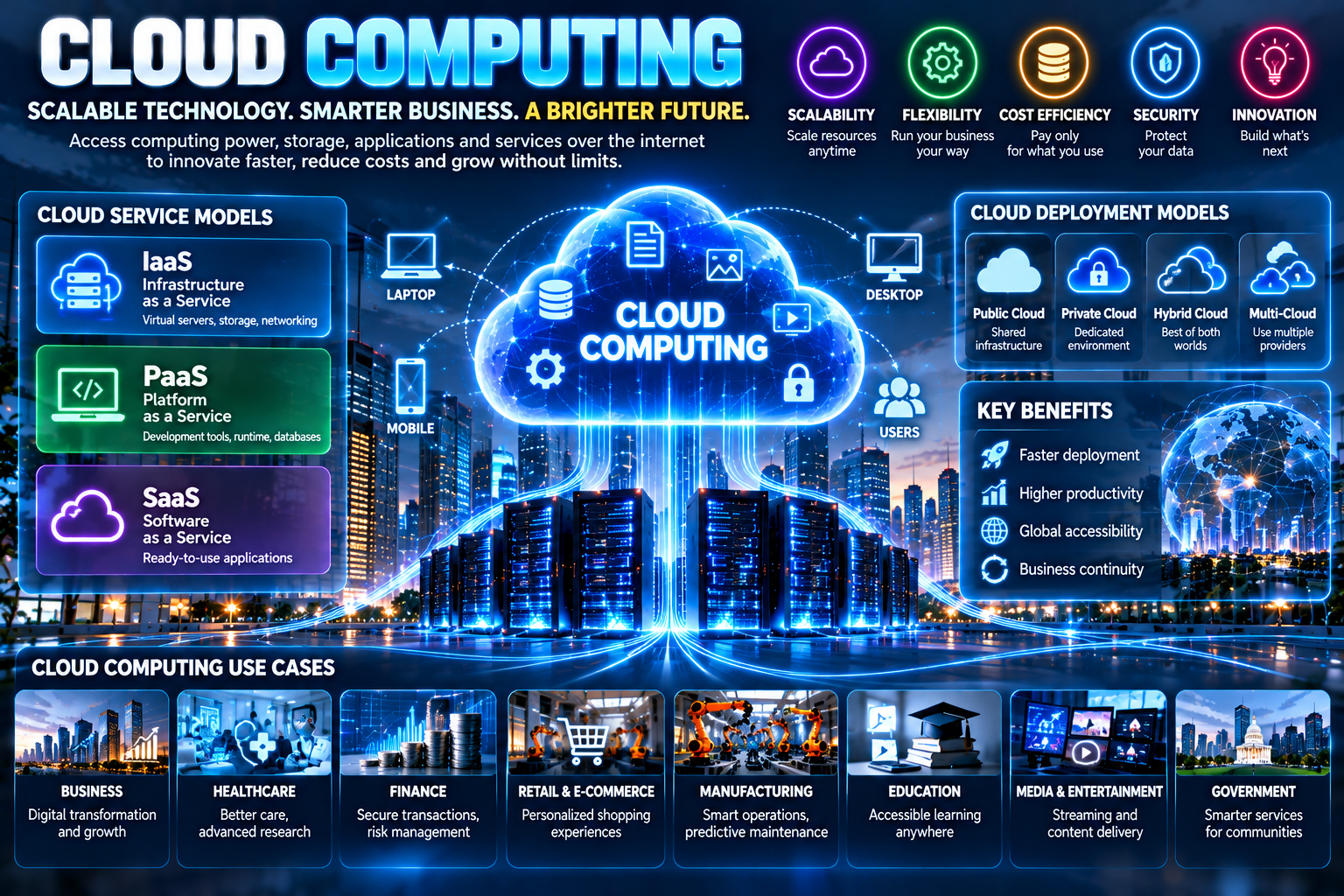
Cloud computing has become one of the most important technologies behind the modern digital economy. From storing photographs and streaming entertainment to running enterprise applications, artificial intelligence systems, websites, financial platforms, and large-scale business operations, cloud infrastructure supports an enormous range of digital services.
Instead of purchasing and maintaining all computing hardware locally, organizations can access computing resources over networks and scale those resources according to their needs.
The National Institute of Standards and Technology (NIST) defines cloud computing as a model that provides convenient, on-demand network access to a shared pool of configurable resources such as servers, storage, networks, applications, and services.
Cloud computing has changed how organizations build and operate technology. It can provide flexibility, scalability, rapid deployment, and access to computing resources without requiring every organization to build and maintain its own complete data-center infrastructure.
What Is Cloud Computing?
Cloud computing is the delivery of computing resources and digital services through network-accessible infrastructure.
These resources can include:
Computing power
Data storage
Databases
Networking
Software
Development platforms
Artificial intelligence services
Security tools
Analytics platforms
Backup systems
Rather than treating computing infrastructure as a fixed physical asset, cloud computing allows organizations to consume many resources as services.
NIST identifies five essential characteristics of cloud computing: on-demand self-service, broad network access, resource pooling, rapid elasticity, and measured service.
How Cloud Computing Works
Cloud computing relies on large collections of physical and virtual computing resources.
Cloud providers operate data centers containing servers, storage systems, networking equipment, security infrastructure, and specialized hardware.
Virtualization and other technologies allow physical resources to be divided into flexible virtual resources.
When a customer needs additional computing capacity, resources can be provisioned through software interfaces and management systems.
This creates an environment where computing resources can be:
Requested → Provisioned → Used → Scaled → Released
The exact architecture differs between cloud providers and deployment models.
The Three Main Cloud Service Models
NIST identifies three major cloud service models: IaaS, PaaS, and SaaS.
Infrastructure as a Service
Infrastructure as a Service (IaaS) provides fundamental computing resources such as virtual machines, storage, and networking.
Organizations can use IaaS to build their own applications and technology environments without purchasing all the underlying physical hardware.
IaaS can be useful for:
Websites
Enterprise applications
Development environments
Data processing
Testing
Backup infrastructure
High-performance computing
Platform as a Service
Platform as a Service (PaaS) provides developers with an environment for creating, testing, deploying, and managing applications.
The cloud provider manages much of the underlying infrastructure while developers focus more heavily on application development.
PaaS can help development teams accelerate software delivery and reduce infrastructure-management requirements.
Software as a Service
Software as a Service (SaaS) provides complete applications through the internet or another network.
Examples can include:
Email platforms
Collaboration software
Customer relationship management
Accounting applications
Project-management systems
Online productivity tools
Users generally interact with the software without managing the underlying servers or operating systems.
Cloud Deployment Models
Cloud environments can also be categorized according to how infrastructure is deployed.
Public Cloud
A public cloud provides computing services through infrastructure operated by a cloud provider.
Organizations can access resources without owning the underlying physical data centers.
Private Cloud
A private cloud is dedicated to a particular organization.
It can provide greater control over infrastructure and configurations, although organizations may have additional responsibilities and costs.
Hybrid Cloud
A hybrid cloud combines private infrastructure with public cloud resources.
Organizations may use hybrid environments when they want to keep certain workloads in controlled environments while using public cloud resources for scalability or other requirements.
Community Cloud
A community cloud can be designed for organizations that share particular requirements or interests.
NIST identifies public, private, community, and hybrid deployment models in its cloud computing framework.
Why Businesses Use Cloud Computing
Cloud computing can provide several potential advantages.
Scalability
Businesses can increase or decrease computing resources based on demand.
For example, an online retailer may need significantly more computing capacity during a major sales event than during normal periods.
Cloud elasticity can help organizations respond to changing workloads.
Faster Deployment
Cloud infrastructure can allow teams to provision resources rapidly rather than waiting to purchase and install physical hardware.
This can shorten development and deployment cycles.
Flexible Infrastructure
Businesses can select different combinations of computing, storage, networking, databases, analytics, and application services.
Remote Accessibility
Cloud-based applications can often be accessed from multiple locations and devices, depending on the application's architecture and security controls.
Potential Cost Efficiency
Cloud computing can reduce the need for large upfront infrastructure purchases in some scenarios.
However, cloud computing does not automatically reduce total costs. Organizations need to consider usage, migration, security, compliance, staffing, licensing, and data-transfer costs.
NIST notes that cloud economics should be evaluated according to the specific requirements and costs of an organization.
Cloud Computing and Artificial Intelligence
Artificial intelligence is increasing the importance of cloud computing.
AI workloads can require substantial computing power, storage, networking, and specialized processors.
Cloud platforms can provide access to infrastructure needed for:
Machine learning
Generative AI
Model training
Model inference
Data processing
AI applications
AI agents
Natural language processing
Computer vision
Cloud infrastructure can allow organizations to access advanced computing capabilities without building an entire AI data center themselves.
At the same time, AI is increasing pressure on organizations to improve their data infrastructure.
IBM's 2026 analysis highlights data quality, fragmentation, hybrid cloud, and data access as important factors in moving AI systems from experimentation toward production.
Cloud Computing and Big Data
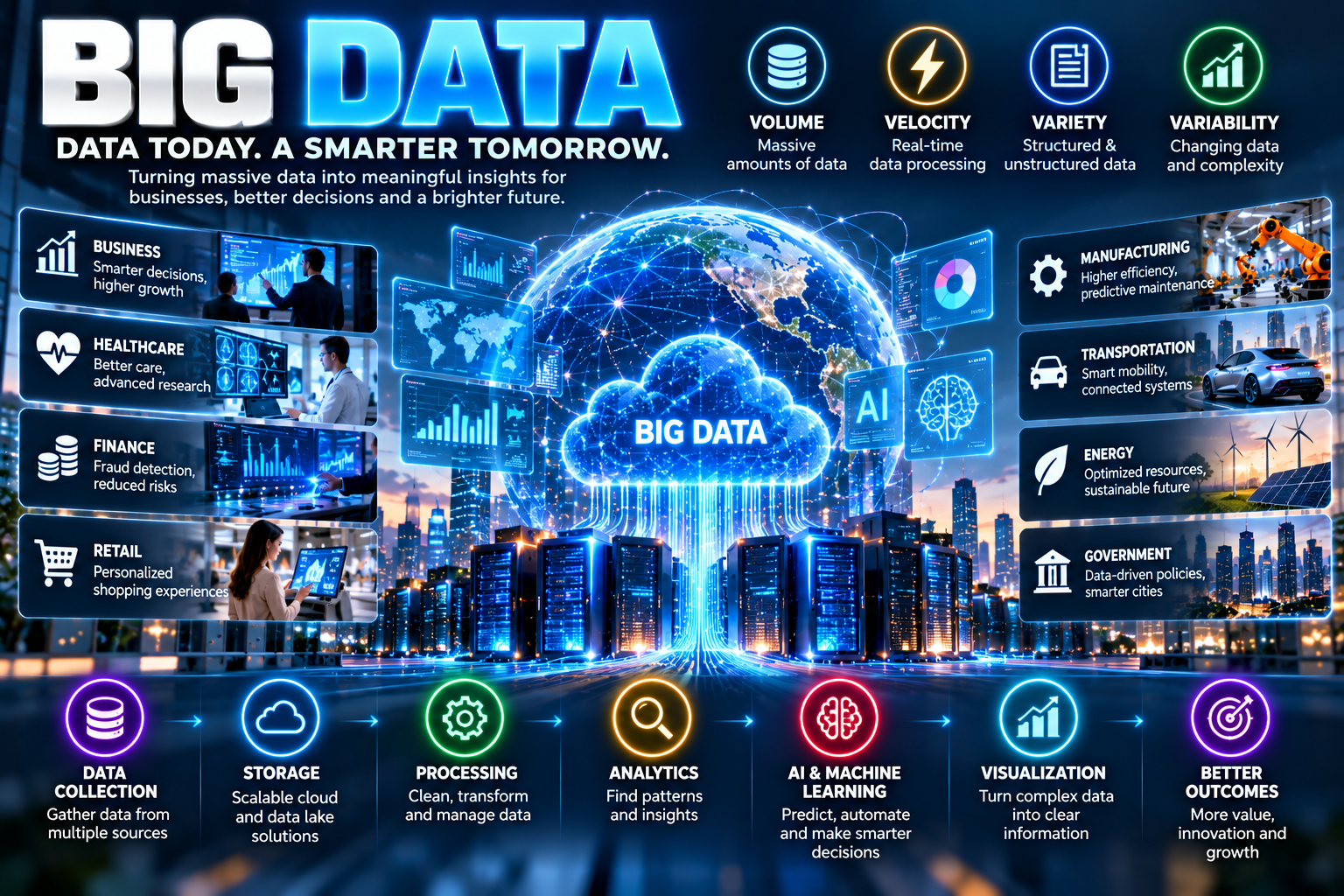
Cloud computing and Big Data are closely connected.
Large datasets can require substantial storage and processing capacity.
Cloud environments can provide scalable infrastructure for:
Data lakes
Data warehouses
Data analytics
Machine learning
Real-time processing
Business intelligence
Data visualization
Instead of maintaining all data infrastructure locally, organizations can use cloud services according to their workloads and architecture.
Cloud Storage
Cloud storage allows organizations and individuals to store digital information on remotely managed infrastructure.
Common uses include:
File storage
Backup
Disaster recovery
Media storage
Application data
Business documents
Database storage
Cloud storage can provide scalable capacity, but organizations still need appropriate access controls, encryption, backup strategies, and data-retention policies.
Cloud Databases
Cloud database services provide managed environments for storing and processing application data.
They can support:
Websites
Mobile applications
E-commerce
Financial systems
Customer databases
Analytics
AI applications
Managed database services can reduce some administrative responsibilities, but organizations remain responsible for understanding configuration, access, data protection, and performance requirements.
Cloud Computing in Business
Cloud technology is used across almost every major industry.
E-Commerce
Online retailers use cloud infrastructure for websites, payment systems, product catalogs, recommendation engines, analytics, and inventory systems.
Finance
Financial organizations can use cloud technology for data analytics, customer applications, risk analysis, software development, and digital services.
Financial workloads can have strict security, resilience, compliance, and data-management requirements.
Healthcare
Healthcare organizations can use cloud services for applications, research, analytics, storage, collaboration, and digital health systems.
Because healthcare data can be highly sensitive, privacy and security requirements are particularly important.
Manufacturing
Manufacturers can combine cloud computing with IoT sensors and analytics to monitor equipment, manage production, and optimize supply chains.
Education
Educational institutions can use cloud-based learning systems, collaboration tools, digital libraries, storage, and analytics.
Media and Entertainment
Streaming platforms and digital media companies rely on scalable computing, storage, networking, and content-delivery infrastructure.
Cloud Security
Cloud adoption does not eliminate cybersecurity responsibilities.
Cloud environments can face risks involving:
Unauthorized access
Misconfigured resources
Credential theft
Malware
Data breaches
Insider threats
Vulnerable applications
Supply-chain risks
Inadequate monitoring
NIST emphasizes that security, interoperability, and portability are important considerations in cloud adoption.
Organizations should therefore implement security controls appropriate to their cloud architecture.
Identity and Access Management
Identity and access management is a critical component of cloud security.
Organizations should control:
Who can access resources
What resources users can access
Which actions they can perform
When access is permitted
How access is monitored
Strong authentication and least-privilege access can help reduce unnecessary exposure.
Cloud Data Protection
Sensitive information stored in cloud environments should be protected using appropriate technical and organizational controls.
Potential measures include:
Encryption
Authentication
Access controls
Logging
Monitoring
Data-loss prevention
Backup
Security testing
Security requirements vary depending on the type of data and applicable regulations.
Cloud Backup and Disaster Recovery
Cloud computing can support business continuity and disaster-recovery strategies.
Organizations may replicate important information and systems across separate infrastructure environments.
If a system becomes unavailable because of hardware failure, cyberattack, natural disaster, or another event, recovery infrastructure may help restore operations.
However, organizations should test recovery procedures rather than assuming that backups will automatically work during an emergency.
Multi-Cloud Computing
Some organizations use services from multiple cloud providers.
This approach is known as multi-cloud.
Organizations may adopt multi-cloud strategies for reasons such as:
Avoiding excessive dependency on one provider
Accessing specialized services
Supporting different geographic requirements
Improving resilience
Meeting workload-specific needs
However, multi-cloud environments can also increase management and security complexity.
Hybrid Cloud in the Modern Enterprise
Hybrid cloud environments remain important for organizations that operate a combination of private infrastructure and public cloud services.
IBM's 2026 analysis identifies hybrid cloud as an increasingly important enterprise architecture pattern as organizations seek flexibility and control across environments.
Hybrid environments can be useful when businesses have:
Legacy systems
Sensitive workloads
Regulatory requirements
Existing data centers
Cloud-native applications
Variable computing demand
Edge Computing and Cloud
Cloud computing is increasingly complemented by edge computing.
Edge computing moves some processing closer to where data is generated.
This can be useful for applications that require low latency, including:
Connected vehicles
Industrial systems
Smart cities
Healthcare devices
Robotics
Video analytics
IoT systems
Cloud and edge computing can work together rather than being treated as competing technologies.
Cloud Computing Challenges
Despite its benefits, cloud computing introduces challenges.
Cost Management
Cloud resources can be easy to provision, but uncontrolled usage can increase costs.
Organizations need monitoring, budgeting, resource optimization, and clear ownership.
Vendor Lock-In
Moving applications and data between cloud providers can sometimes be difficult.
Proprietary services and architectures may increase switching costs.
Security
Organizations need appropriate security controls for their applications, identities, networks, and data.
Compliance
Businesses operating in regulated industries may have specific requirements involving data location, retention, privacy, and access.
Downtime
Cloud providers generally design for high availability, but no technology environment is completely immune to outages.
Migration Complexity
Moving legacy systems to the cloud can require significant planning and application redesign.
Cloud Migration
Cloud migration means moving applications, data, infrastructure, or workloads from existing environments into cloud infrastructure.
A successful migration typically begins with assessment.
Organizations should understand:
Which workloads should move
Which workloads should remain
Application dependencies
Data requirements
Security requirements
Compliance requirements
Expected costs
Performance requirements
Some applications can be moved with relatively limited changes, while others may require substantial redesign.
Cloud-Native Applications
Cloud-native applications are designed specifically to take advantage of cloud environments.
They may use technologies such as:
Containers
Microservices
APIs
Serverless computing
Managed databases
Automated deployment
Infrastructure as code
Cloud-native architecture can improve development flexibility, although it also introduces additional technical complexity.
Serverless Computing
Serverless computing allows developers to execute application code without directly managing traditional server infrastructure.
The underlying infrastructure is managed by the cloud provider.
Serverless architectures can be useful for event-driven applications and workloads with variable demand.
Despite its name, serverless computing still uses servers; the term refers to the way infrastructure management is abstracted from developers.
Cloud Computing and Sustainability
Cloud infrastructure can influence energy consumption and data-center efficiency.
Large cloud providers can optimize infrastructure utilization through virtualization, workload management, cooling systems, and data-center engineering.
However, cloud computing still requires substantial energy and physical infrastructure.
Sustainability therefore depends on factors including hardware efficiency, energy sources, workload design, utilization, and data-center operations.
The Future of Cloud Computing
Cloud computing is evolving alongside artificial intelligence, Big Data, cybersecurity, edge computing, automation, and advanced infrastructure.
Several trends are likely to remain important:
AI-Optimized Cloud Infrastructure
AI workloads are increasing demand for specialized computing resources and large-scale data infrastructure.
Hybrid and Multi-Cloud
Organizations will continue to combine different infrastructure environments according to workload requirements.
Cloud Security
Identity, data protection, monitoring, and automated security will remain major priorities.
Edge and Distributed Computing
More workloads may be processed closer to users and devices when low latency is important.
Data Infrastructure
Organizations will increasingly focus on making enterprise data accessible, governed, secure, and usable by analytics and AI systems.
Automation
Infrastructure management is becoming increasingly automated through software, orchestration, and AI-assisted operations.
How Businesses Can Adopt Cloud Computing
Businesses considering cloud adoption can follow a structured approach.
Step 1: Identify Business Goals
Determine why the organization wants to adopt cloud technology.
Step 2: Assess Existing Infrastructure
Document applications, databases, servers, dependencies, and security requirements.
Step 3: Select the Appropriate Cloud Model
Evaluate public, private, hybrid, or multi-cloud approaches.
Step 4: Choose Service Models
Determine whether IaaS, PaaS, SaaS, or a combination is appropriate.
Step 5: Build Security Controls
Establish identity, access, encryption, monitoring, backup, and incident-response processes.
Step 6: Start With Suitable Workloads
Organizations can begin with applications that have clear business value and manageable migration requirements.
Step 7: Monitor Performance and Costs
Cloud environments should be continuously evaluated for reliability, security, performance, and spending.
Step 8: Improve Over Time
Cloud adoption is an ongoing process rather than a one-time technology purchase.
Cloud Computing vs Traditional IT
Feature | Traditional IT | Cloud Computing |
|---|---|---|
Infrastructure | Primarily owned or controlled locally | Provider-based or distributed |
Capacity | Often planned in advance | Can be scaled dynamically |
Deployment | Hardware procurement may take time | Resources can often be provisioned quickly |
Cost Model | Significant upfront investment possible | Often usage/service based |
Maintenance | Organization manages much of infrastructure | Provider manages varying portions |
Accessibility | Often tied to internal infrastructure | Network-accessible services |
Scaling | Can require hardware expansion | Designed for elasticity |
Management | More physical infrastructure responsibility | More software/service management |
Final Thoughts
Cloud computing has fundamentally changed how digital infrastructure is designed, delivered, and consumed.
By providing on-demand access to computing, storage, networking, applications, and platforms, cloud technology can help organizations develop products faster, scale digital services, support remote operations, process large datasets, and build modern AI applications.
However, cloud adoption requires more than simply moving systems to a provider. Organizations need to consider security, privacy, compliance, costs, architecture, resilience, interoperability, portability, and long-term strategy.
As artificial intelligence, Big Data, IoT, edge computing, and automation continue to develop, cloud infrastructure will remain an important foundation for the digital economy.
The future of cloud computing is therefore not simply about moving technology online. It is about creating scalable, secure, intelligent, and flexible digital infrastructure for the next generation of businesses and applications.
FAQs About Cloud Computing
What is cloud computing?
Cloud computing is a model that provides on-demand network access to shared computing resources such as servers, storage, networks, applications, and services.
What are the three main cloud service models?
The three main models are Infrastructure as a Service (IaaS), Platform as a Service (PaaS), and Software as a Service (SaaS).
What are the main cloud deployment models?
The commonly recognized deployment models are public, private, community, and hybrid cloud.
Is cloud computing secure?
Cloud computing can be designed with strong security controls, but security depends on architecture, configuration, identity management, access controls, monitoring, and organizational practices.
What is hybrid cloud?
Hybrid cloud combines private infrastructure with public cloud resources.
What is multi-cloud?
Multi-cloud means using cloud services from multiple providers or cloud environments.
How does cloud computing support AI?
Cloud infrastructure can provide scalable computing, storage, networking, and specialized hardware required for AI development, training, inference, and applications.
What is the future of cloud computing?
Cloud computing is increasingly connected with AI, Big Data, edge computing, automation, hybrid infrastructure, and advanced cybersecurity.