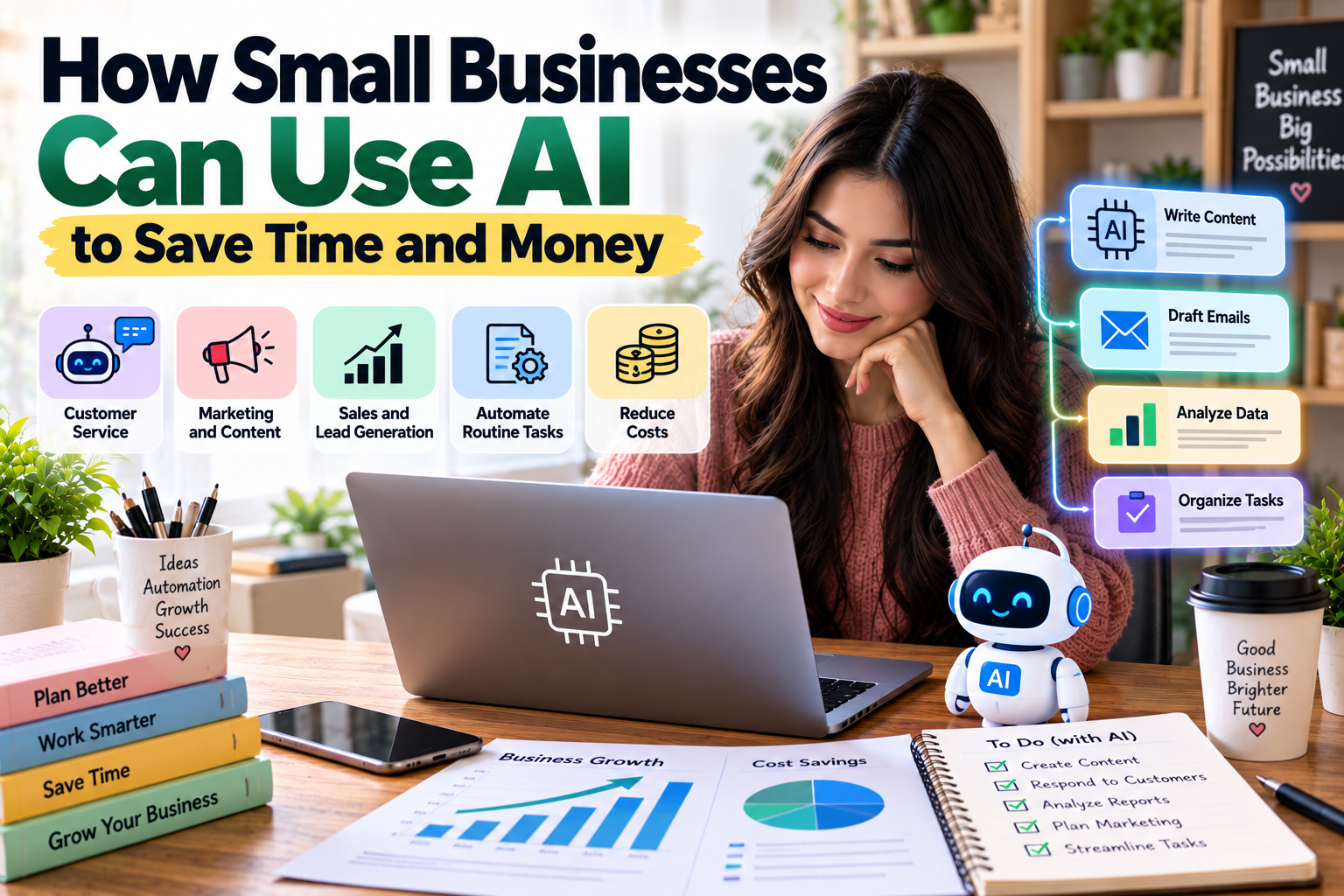
Running a small business often means managing several responsibilities at the same time. Business owners may handle customer inquiries, prepare marketing content, manage invoices, organize inventory, analyze sales, and plan future growth—all while working with limited time and resources.
Artificial intelligence (AI) is becoming a practical option for businesses that want to simplify repetitive tasks and make better use of their existing resources.
AI-powered tools can help draft emails, summarize documents, analyze business data, generate marketing ideas, organize information, and assist with customer service. Some systems can also automate routine workflows, reducing the amount of manual work required.
However, using AI effectively involves more than choosing a popular tool. Businesses need to identify suitable tasks, protect confidential information, review AI-generated results, and measure whether the technology actually improves productivity or reduces costs.
The good news is that small businesses do not necessarily need large technology budgets or dedicated AI teams to get started. Many can begin with a limited project and expand gradually as they understand the benefits and limitations.
This guide explains how small businesses can use AI to save time and money, which tasks are suitable for automation, how to choose the right tools, and what to consider before implementing AI in daily operations.
What Is AI in Business?
Artificial intelligence refers to computer systems designed to perform tasks that typically require capabilities associated with human intelligence, such as recognizing patterns, understanding language, generating content, and making predictions from data.
In business, AI can support activities such as customer communication, document processing, marketing, forecasting, research, and data analysis.
For example, a small online store might use an AI assistant to draft product descriptions, summarize customer feedback, or organize frequently asked questions.
A consulting firm might use AI to summarize meeting notes, prepare initial research briefs, or help organize project documentation.
A local service provider might use AI to draft appointment reminders and respond to common customer questions, with appropriate review and safeguards.
AI can support these tasks, but its output is not automatically accurate. Businesses should evaluate results before using them in important decisions or sharing them with customers.
Why Should Small Businesses Consider AI?
Small businesses often have fewer employees and smaller budgets than larger organizations. This makes efficiency particularly important.
AI may help reduce the time spent on repetitive tasks, improve access to information, and support more consistent workflows.
1. Save Time on Repetitive Work
Many business activities involve repeated steps, such as drafting similar emails, categorizing customer inquiries, summarizing reports, or preparing routine documents.
AI tools can help complete initial drafts or organize information more quickly.
Employees can then spend more time on work that requires judgment, customer relationships, or specialized knowledge.
2. Reduce Certain Operating Costs
AI may reduce the amount of manual effort required for some tasks.
For example, a business could use AI to create a first draft of a marketing email instead of writing every version from scratch.
However, AI tools may introduce subscription, integration, training, and review costs. The actual savings depend on the task and how effectively the tool is implemented.
3. Improve Customer Communication
AI can help businesses draft responses, classify support requests, and prepare answers to frequently asked questions.
When configured appropriately, AI-assisted systems may help customers receive faster responses.
Sensitive complaints, payment disputes, legal matters, and unusual requests should generally be reviewed by a person.
4. Support Better Business Decisions
AI tools can summarize large amounts of information, identify patterns in structured data, and help users explore possible explanations for changes in sales or customer behavior.
These capabilities can support decision-making, but businesses should verify important findings against reliable data.
5. Help Small Teams Scale
As a business grows, its workload may increase faster than its available staff.
AI can help standardize certain processes and reduce repetitive work, allowing a small team to handle more activity without automatically increasing headcount.
It does not eliminate the need for appropriate staffing, quality control, or customer support.
1. Use AI to Improve Customer Service
Customer service is one of the most practical areas where small businesses can apply AI.
Customers often ask similar questions about prices, product availability, shipping, opening hours, return policies, and service features.
AI can help organize these questions and prepare responses based on approved business information.
Create Draft Responses to Common Questions
A business can prepare a set of frequently asked questions and use an AI assistant to draft clear, consistent answers.
For example, an online retailer might need to answer questions about delivery times, product sizes, payment options, and returns.
Instead of writing every response from scratch, staff can review and adapt a suitable draft.
The business should ensure that the responses reflect its actual policies and do not promise services it cannot provide.
Use AI-Assisted Chatbots
Some customer service platforms offer AI-powered chat features that answer questions using a business's approved content.
These systems may help with routine inquiries outside normal business hours.
Before deployment, test the chatbot with realistic questions and ensure it can recognize when it lacks sufficient information.
Customers should have a way to reach a human representative when the issue is complex or the answer is uncertain.
Analyze Customer Feedback
AI can help summarize customer reviews, support conversations, and survey responses.
For example, a business might discover that customers frequently mention confusing product instructions or delayed deliveries.
This information can help the company prioritize improvements.
Customer data should be handled in accordance with applicable privacy requirements and the terms of the tools being used.
2. Use AI for Marketing and Content Creation
Marketing often requires a steady supply of ideas, written content, product information, and promotional materials.
AI can help small businesses prepare initial drafts and organize campaigns more efficiently.
Generate Content Ideas
AI assistants can suggest article topics, email themes, social media post ideas, and answers to common customer questions.
For example, a company selling home organization products might use AI to brainstorm content about maximizing storage in small apartments.
These suggestions should be evaluated for relevance, originality, and usefulness before publication.
Draft Marketing Emails
AI can help create initial drafts for newsletters, product announcements, promotional campaigns, and customer follow-ups.
A business owner can provide the target audience, purpose, tone, and key information, then edit the result to match the brand.
Avoid publishing inaccurate claims or sending unsolicited marketing messages that violate applicable rules.
Improve Product Descriptions
Online retailers can use AI to help draft product descriptions based on verified product specifications.
Useful descriptions should explain features, dimensions, materials, benefits, and limitations clearly.
Always verify technical specifications and avoid inventing product benefits or making unsupported claims.
Support Search Engine Optimization
AI can assist with keyword brainstorming, content outlines, title ideas, meta descriptions, and content editing.
However, AI-generated content is not automatically optimized for search engines simply because it contains keywords.
Search-focused content should satisfy the reader's needs, demonstrate appropriate expertise, and provide accurate, original information.
Businesses should review content for factual errors, repetition, and unnecessary keyword usage before publishing it.
3. Automate Routine Administrative Tasks
Administrative work can consume a significant amount of time in a small business.
AI and workflow automation tools may help reduce repetitive steps in document handling, scheduling, communication, and record organization.
Summarize Documents and Meetings
AI tools can summarize long documents, extract action items, and prepare draft meeting notes.
For example, after a project meeting, a team might use an approved tool to produce a draft list of decisions, deadlines, and assigned tasks.
A participant should verify the summary before treating it as the official record.
Do not upload confidential contracts, employee information, or customer records to a tool unless its privacy and security arrangements are appropriate.
Draft Routine Emails
AI can help prepare professional responses to common business situations, such as confirming appointments, requesting missing information, or following up on proposals.
A person should check names, dates, commitments, and attachments before sending the message.
This is particularly important when a message creates a contractual commitment or contains sensitive information.
Organize Tasks and Schedules
Some AI-enabled productivity platforms can help turn meeting notes into task lists, suggest priorities, or identify scheduling conflicts.
The business should verify deadlines and responsibilities rather than assuming that automatically generated tasks are correct.
4. Use AI for Sales and Lead Management
Sales teams need to identify potential customers, track conversations, follow up on opportunities, and understand which activities produce results.
AI can support several of these tasks.
Organize Sales Information
AI-enabled customer relationship management (CRM) systems may summarize customer interactions, organize notes, or help sales staff prepare follow-up messages.
This can be useful when a business manages many leads across email, phone, and website inquiries.
Information should be accurate, appropriately authorized, and updated when circumstances change.
Draft Personalized Follow-Ups
AI can help prepare a follow-up message based on a customer's stated needs or a previous conversation.
The employee should verify the details and make sure the message is relevant rather than sending generic automated outreach.
Analyze Sales Trends
If the business has reliable sales data, AI-enabled analytics tools may help identify patterns in customer purchases, product demand, or seasonal activity.
For example, an online store might investigate why certain products sell more during particular months.
The results should be checked against the underlying data and considered alongside other factors before decisions are made.
5. Use AI to Analyze Business Data
Small businesses generate data through sales transactions, website analytics, customer surveys, invoices, inventory systems, and marketing campaigns.
AI can help users interpret this information, particularly when they do not have a dedicated data analyst.
Summarize Sales Performance
A business owner can use suitable analytical software to summarize sales by product, period, or customer category.
For example, a retailer may want to understand which products contribute the most revenue or which categories have declining sales.
Before relying on the results, check that the underlying records are complete and that revenue, costs, and refunds are treated consistently.
Identify Expense Patterns
AI-assisted analysis may help group expenses and highlight unusual changes.
A business might investigate whether software subscriptions, shipping charges, or advertising costs have increased compared with previous months.
AI can identify possible patterns, but it may misclassify transactions or overlook relevant context. Financial records should be checked before changing budgets or making accounting decisions.
Support Forecasting
Some analytical systems use historical data to estimate future demand, sales, or inventory needs.
These forecasts can support planning, but they are not guarantees.
Unexpected events, changing customer preferences, supplier disruptions, and incomplete data can make forecasts inaccurate.
Use forecasts as planning inputs and consider alternative scenarios.
6. Use AI for Inventory and Operations
Businesses that sell physical products need to balance product availability against the cost of holding inventory.
AI-supported systems may help identify demand patterns, estimate reorder requirements, and highlight potential stock problems.
Forecast Product Demand
Historical sales, seasonal trends, promotions, and supplier lead times can help businesses estimate future product demand.
AI tools may analyze these factors to support inventory planning.
However, forecasts should be checked against real-world information, especially when products are new or demand is changing rapidly.
Reduce Stockouts and Excess Inventory
Too little inventory can result in missed sales, while too much can tie up cash and increase storage costs.
Demand forecasting and inventory analytics may help businesses identify products that need attention.
The appropriate system depends on the size of the inventory, the quality of the data, and the cost of stockouts.
Improve Routine Workflows
AI and traditional automation can help connect steps such as receiving an order, updating inventory records, preparing a shipping notification, and organizing customer service requests.
Not every workflow requires AI. If a task follows simple, predictable rules, conventional automation may be cheaper, more reliable, and easier to maintain.
7. Use AI to Support Financial Management
Financial management requires accurate records, consistent processes, and careful judgment.
AI can assist with certain supporting tasks, but it should not replace appropriate accounting controls or professional advice.
Categorize Expenses for Review
Some financial systems use automation or AI to suggest categories for transactions.
For example, a software subscription may be assigned to an appropriate operating expense category.
A person should review uncertain transactions, unusual payments, and any entries that affect financial reporting.
Summarize Financial Reports
AI can help explain information in a profit and loss statement, budget, or cash flow report.
It may also help identify questions that a business owner should investigate, such as an increase in operating expenses or a decline in gross margin.
Financial conclusions should be checked against the original records and accounting definitions.
Improve Budget Planning
AI can help organize historical expenses, prepare draft budget scenarios, and identify possible cost-saving opportunities.
However, business owners should confirm the assumptions and ensure that important obligations, taxes, and cash flow requirements are included.
Do not rely on an AI-generated forecast without checking the figures.
8. Use AI to Improve Website Performance
A business website often serves as a storefront, information resource, and source of customer inquiries.
AI tools can assist with content development, website analysis, and customer experience improvements.
Improve Website Content
AI can help identify unclear paragraphs, suggest better headings, draft FAQs, and simplify complicated explanations.
The final content should be accurate and reflect the business's actual products and services.
Analyze Visitor Behavior
Analytics platforms may help identify pages with high exit rates, confusing navigation, or weak conversion performance.
AI-assisted features can summarize patterns or suggest areas for investigation.
Before making changes, check whether the data supports the proposed explanation. A high exit rate, for example, does not always mean a page is performing poorly.
Support Website Accessibility
Some AI tools can assist with identifying potential accessibility issues or preparing image descriptions.
However, automated checks may miss important problems. Businesses should review accessibility using appropriate testing methods and relevant standards.
9. Choose the Right AI Tools for Your Business
The best AI tool depends on the problem you want to solve, your budget, the data involved, and the systems your business already uses.
Instead of subscribing to many tools immediately, begin with one clearly defined task.
Examples of AI tool categories include:
Business need | AI tool category | Example use |
|---|---|---|
Writing and research | AI assistants | Drafting emails and outlines |
Customer service | AI support platforms | Answering routine questions |
Marketing design | AI design tools | Creating draft promotional visuals |
Data analysis | AI-enabled analytics | Summarizing sales trends |
Workflow automation | Automation platforms | Connecting repetitive tasks |
Financial administration | AI-enabled accounting tools | Suggesting transaction categories |
These are categories rather than endorsements of particular products. Features, prices, privacy terms, and availability can change.
Questions to Ask Before Choosing a Tool
Consider the following:
Does the tool solve a real business problem?
Is the cost reasonable for the expected benefit?
Does it work with your existing systems?
Can you review and correct its output?
How does it handle customer and business data?
Are there usage limits, integration costs, or cancellation conditions?
What happens if the tool produces incorrect information or becomes unavailable?
A tool should be selected based on its suitability for the task, not simply its popularity.
10. How to Start Using AI With a Small Budget
Businesses do not need to automate every process at once.
A limited pilot project can help determine whether AI provides enough value to justify further investment.
Step 1: Identify a Repetitive Task
Choose a task that occurs frequently and takes measurable time.
Examples include drafting product descriptions, summarizing reports, or preparing routine customer responses.
Avoid starting with a high-risk process that requires complex legal, medical, financial, or safety judgments.
Step 2: Record the Current Process
Estimate how long the task takes, how frequently it occurs, and what problems arise.
This creates a baseline against which you can compare the results of using AI.
Step 3: Test a Suitable Tool
Use a small sample of ordinary tasks and review the outputs carefully.
Do not upload confidential information unless the tool is approved for that data.
Step 4: Measure the Results
Compare the time required, quality of output, error rate, and total cost with the original process.
Include subscription fees, setup time, staff training, and human review.
Step 5: Expand Gradually
If the pilot produces reliable benefits, document the workflow and consider applying it to similar tasks.
If it does not improve the process, adjust the approach or stop using the tool.
A small, well-measured experiment is often more useful than a broad technology rollout based on assumptions.
How to Measure Whether AI Is Saving Money
AI adoption should be evaluated using measurable outcomes rather than general impressions.
Consider these indicators.
Time Saved
Compare the time needed to complete a task before and after AI is introduced.
For example, if preparing a weekly report takes three hours before automation and two hours afterward, the process saves one hour per report.
However, the comparison should include time spent checking, correcting, and maintaining the AI-assisted workflow.
Cost per Task
Calculate the total relevant cost of completing a task, including software, employee time, and review.
A tool that reduces drafting time may still be expensive if it requires substantial correction or additional administration.
Error Rate
Monitor mistakes, missing information, incorrect customer responses, and other quality problems.
Faster work is not necessarily better if it introduces more errors.
Customer Satisfaction
If AI affects customer service, review feedback, response quality, complaint rates, and the need for human intervention.
Customer experience should remain a priority.
Financial Return
Compare the measurable benefits of the tool with its total cost.
A simple calculation is:
Net Benefit = Estimated Financial Benefits − Total AI Costs
For a more detailed return-on-investment analysis, businesses can compare net benefits with total costs over a defined period.
Use realistic assumptions and avoid counting the same benefit twice.
Risks and Limitations of AI in Small Business
AI can be useful, but it also introduces risks that businesses should understand.
Inaccurate Information
AI systems can produce incorrect facts, calculations, references, or explanations.
Verify important claims and independently check calculations before relying on the output.
Data Privacy and Security
Customer records, employee information, financial statements, and confidential business documents may require special protection.
Review the tool's privacy terms, data handling practices, access controls, and suitability for the information you intend to process.
Use only the data necessary for the task.
Intellectual Property Concerns
AI-generated content may raise questions about ownership, originality, licensing, or the use of protected material.
Review applicable terms and laws, and avoid using content or images in ways that infringe others' rights.
Bias and Unfair Outcomes
AI systems may produce biased or unsuitable recommendations, particularly when used to assess people or make decisions affecting access to opportunities.
High-impact decisions should receive appropriate human oversight and follow applicable laws.
Overdependence on Automation
A business that automates everything without proper controls may struggle when the system fails or produces an unexpected result.
Maintain human review for important decisions, document key processes, and prepare a fallback plan for essential operations.
Common Mistakes to Avoid When Using AI
1. Adopting AI Without a Clear Goal
Using AI simply because it is popular may create additional work without improving results.
Start with a specific business problem and define what success looks like.
2. Publishing AI Content Without Review
AI-generated content can contain inaccurate claims, repetitive language, or generic explanations.
Edit the material, verify facts, and ensure it provides genuine value to the intended audience.
3. Sharing Confidential Information Carelessly
Do not assume that every AI tool is appropriate for sensitive business data.
Review the applicable data protection arrangements and follow your organization's policies.
4. Expecting Immediate Cost Savings
Setup, training, review, and integration may initially increase workload.
Measure results over a suitable period rather than assuming that the tool will immediately reduce costs.
5. Ignoring Employees and Customers
A workflow that is efficient for management may be confusing for staff or frustrating for customers.
Explain changes, provide training, and gather feedback before expanding an AI system.
Conclusion
AI gives small businesses new ways to organize information, assist customers, prepare marketing materials, analyze data, and simplify repetitive work.
Its value depends on choosing appropriate tasks, using reliable tools, protecting business information, and reviewing results carefully.
Start with one recurring problem, measure the existing process, test an AI-assisted solution, and compare the results with the total cost.
Do not assume that every task requires AI or that automation always improves productivity. In some situations, a simple spreadsheet, standard software feature, or clearly documented process may be more effective.
The most useful approach is to treat AI as a tool that supports human judgment rather than a replacement for it.
By adopting AI carefully and measuring its impact, small businesses can identify practical opportunities to save time, manage resources more effectively, and improve the way they serve customers.
Frequently Asked Questions (FAQs)
1. How can small businesses use AI?
Small businesses can use AI to draft content, summarize documents, assist customer service, analyze sales data, organize administrative tasks, support inventory planning, and prepare financial reports for review.
2. Can AI help small businesses save money?
AI may reduce the time or effort required for certain tasks, which can lower costs when the benefits exceed software, setup, training, and review expenses. Savings depend on the specific workflow and how the tool is used.
3. What are the best AI tools for small businesses?
The best tools depend on the task. Businesses may consider AI assistants, customer service platforms, design tools, analytics software, workflow automation systems, or AI-enabled accounting products. Compare features, costs, privacy terms, and integration requirements before choosing.
4. Can AI replace employees in a small business?
AI can automate or assist with some tasks, but it does not reliably replace all human work. Customer relationships, judgment, accountability, creative direction, and complex problem-solving often require human involvement.
5. How can AI help with small business marketing?
AI can help brainstorm topics, draft marketing emails, prepare product descriptions, outline articles, and organize campaign ideas. Businesses should verify facts, review brand consistency, and ensure that published content is useful and accurate.
6. Is AI expensive for small businesses?
Costs vary widely. Some tools offer free or low-cost entry plans, while advanced platforms and integrations may require larger budgets. Consider the total cost, including setup, training, review, and ongoing maintenance.
7. Can AI improve customer service?
AI can help answer routine questions, draft responses, and organize support requests. Complex complaints, sensitive issues, and uncertain answers should be escalated to a person.
8. How can AI help with business data analysis?
AI-enabled analytics tools can summarize structured data, identify possible trends, and help explain changes in sales or expenses. Businesses should validate findings against reliable source data before making decisions.
9. Is AI-generated content good for SEO?
AI-generated content can support SEO when it is accurate, original, useful, and created for readers. Using AI alone does not guarantee rankings. Content should be reviewed and improved to meet the needs of the intended audience.
10. Is it safe to put business information into AI tools?
Safety depends on the tool, its privacy and security arrangements, and the information involved. Review data handling terms and organizational requirements before uploading confidential, personal, or sensitive information.
11. How should a small business get started with AI?
Choose one repetitive task, document the current process, test an appropriate tool, and measure time, quality, errors, and total cost. Expand only when the results justify continued use.
12. Can AI help a small business increase sales?
AI may support sales through better customer communication, product recommendations, lead organization, and marketing analysis. It does not guarantee higher sales, which also depend on customer demand, pricing, product quality, and execution.
13. What are the biggest risks of using AI in business?
Key risks include inaccurate output, privacy and security problems, bias, intellectual property concerns, overdependence on automation, and unexpected costs. Appropriate safeguards and human review can help reduce these risks.
14. Should every small business use AI?
No. AI is most useful when it solves a real problem and delivers measurable value. Some businesses may benefit more from improving existing processes or using traditional automation than from adopting AI.
15. How can a business measure AI productivity?
Measure time saved, total cost per task, error rates, output quality, customer satisfaction, and financial benefits. Compare these results with the original process and include the time required for review and maintenance.