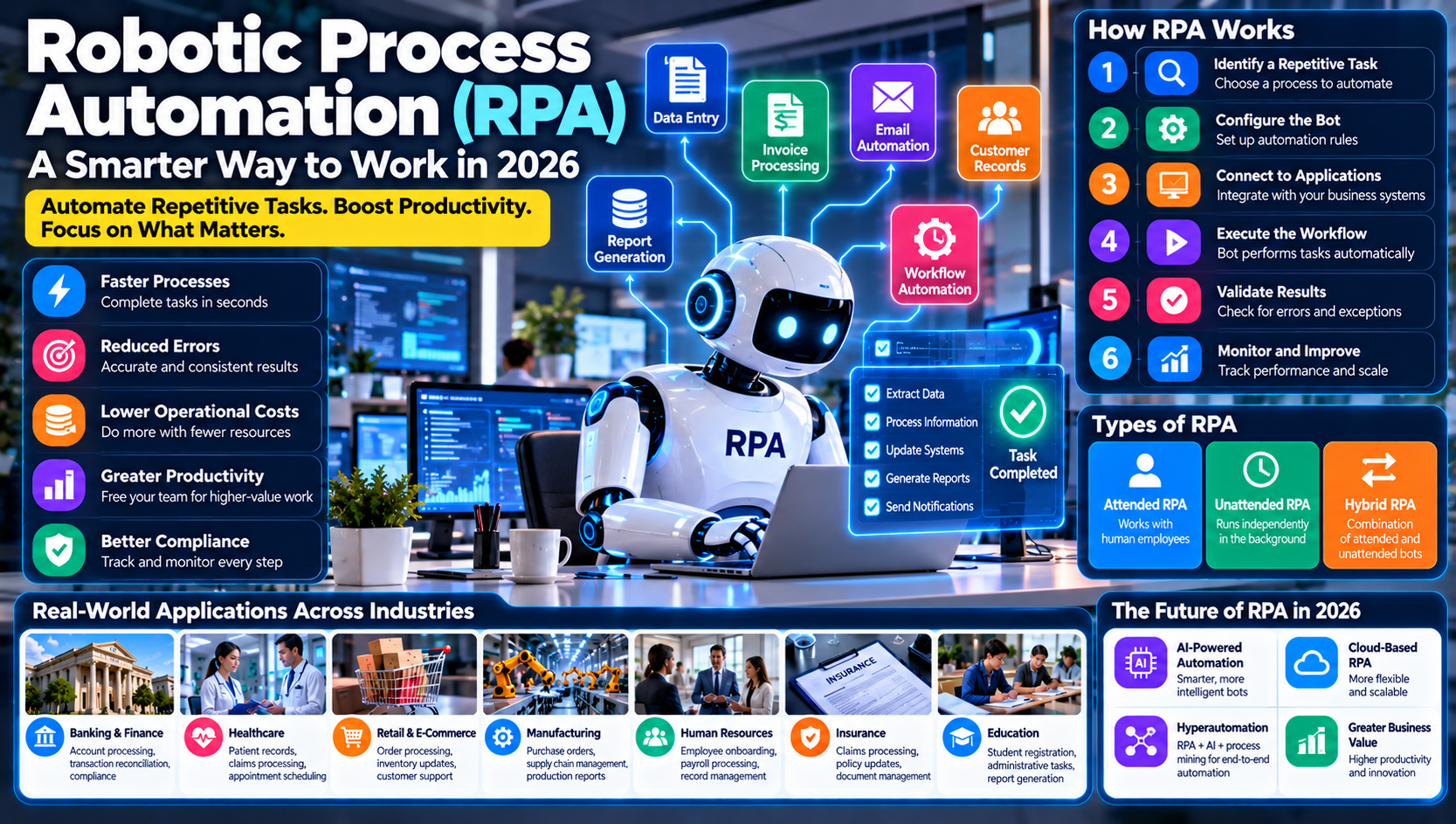
Businesses perform thousands of repetitive tasks every day. Employees enter information into spreadsheets, process invoices, update customer records, manage emails, generate reports, and transfer information between different software systems.
Although these activities are necessary, many consume valuable time and resources that employees could spend on more important work.
This is where Robotic Process Automation (RPA) becomes useful.
RPA is a technology that uses software robots, commonly called bots, to perform repetitive, rule-based digital tasks automatically. These bots can interact with applications, enter information, copy files, process transactions, and complete routine workflows according to predefined instructions.
Unlike physical industrial robots, RPA software robots operate inside computer systems. They can perform many tasks that people normally complete by using a keyboard, mouse, browser, or business application.
In 2026, organizations are increasingly combining RPA with artificial intelligence, machine learning, and intelligent document processing to automate more complex business activities.
This guide explains what robotic process automation is, how it works, its types, benefits, challenges, popular tools, and practical applications across modern industries.
What Is Robotic Process Automation (RPA)?
Robotic Process Automation is a technology that allows software bots to imitate selected human interactions with digital systems and automatically perform repetitive business tasks.
These software bots follow predefined rules and instructions to complete activities such as:
Entering information into databases
Processing invoices
Updating customer records
Transferring data between applications
Generating routine reports
Sending automated emails
Processing employee information
Managing order records
Extracting information from documents
For example, imagine a company receives hundreds of invoices every day.
Employees may need to open each invoice, extract relevant information, enter the details into an accounting system, and update payment records.
An RPA bot can automate many of these steps, reducing manual data entry and allowing employees to focus on exceptions and more valuable activities.
The main purpose of RPA is not necessarily to replace entire jobs. It is to automate repetitive digital activities so people can concentrate on work requiring judgment, communication, creativity, and problem-solving.
How Does Robotic Process Automation Work?
RPA works by following predefined instructions to interact with digital applications and complete specific tasks.
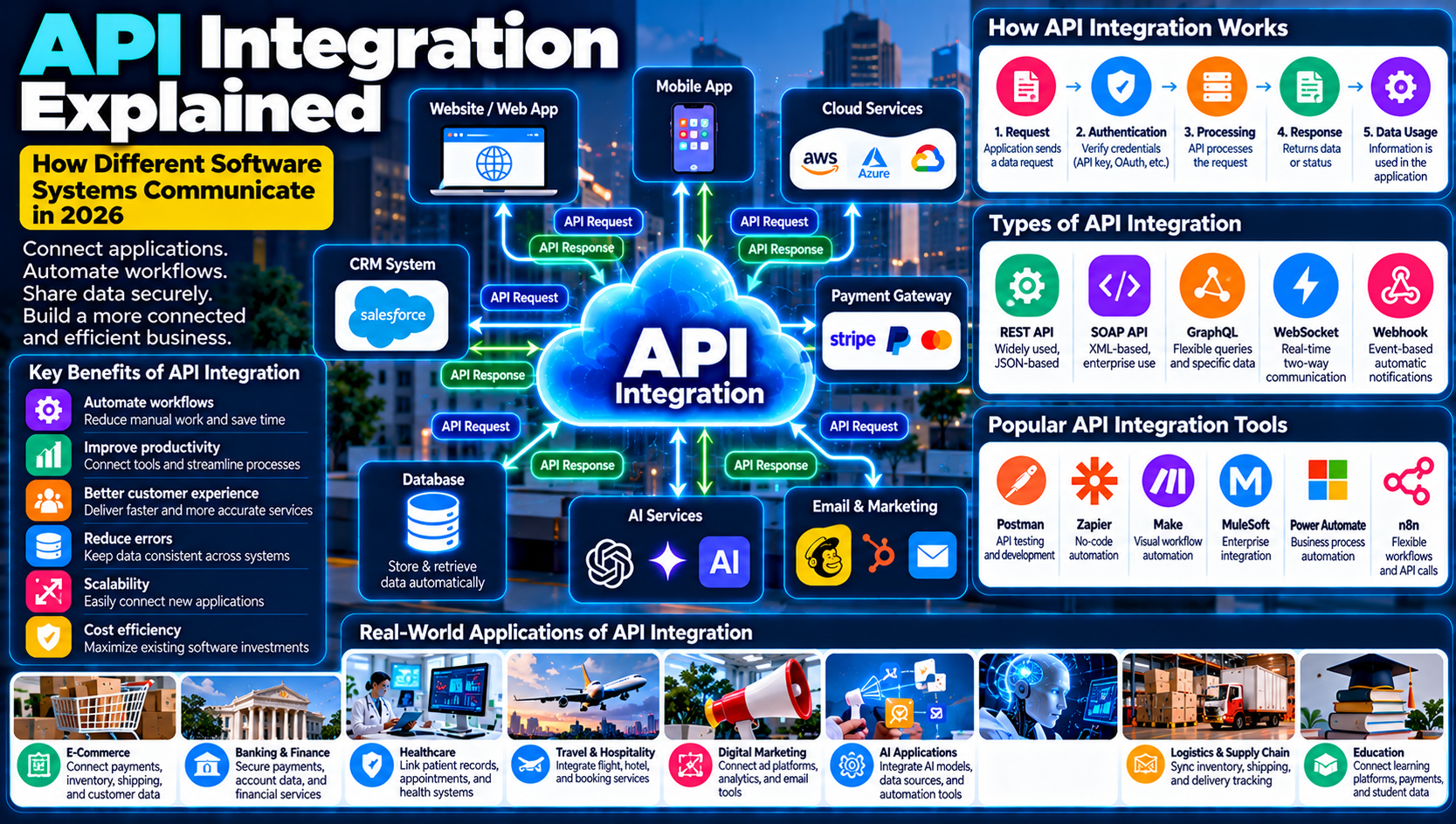
The technology can operate through user interfaces, application programming interfaces (APIs), or other supported integration methods.
A typical RPA workflow follows several stages.
1. Identify a Repetitive Task
The first step is selecting a business process suitable for automation.
Examples include invoice processing, employee data entry, customer information updates, and report generation.
The task should have clear steps and predictable rules.
2. Configure the Software Bot
An RPA developer or automation specialist creates a workflow that defines what the bot needs to do.
The instructions may include opening applications, entering information, selecting options, copying records, and saving files.
3. Connect to Business Applications
The bot accesses the required software systems using supported methods.
Depending on the platform, it may interact with websites, spreadsheets, databases, accounting systems, customer relationship management software, and enterprise applications.
4. Execute the Workflow
Once activated, the bot performs the configured tasks automatically.
For example, it may retrieve customer information from a spreadsheet and enter it into a business application.
5. Validate the Results
The automation system can check whether the task was completed successfully.
If information is missing, a system is unavailable, or an unexpected error occurs, the bot may stop the workflow or send the case for human review.
6. Generate Reports and Notifications
RPA platforms can record completed tasks, failed operations, processing times, and other relevant information.
Managers can use these reports to monitor automation performance.
The basic RPA process:
Task Identification → Workflow Configuration → Application Connection → Automated Execution → Result Validation → Reporting
Main Components of an RPA System
An RPA environment contains several components that work together to automate business processes.
Component | Purpose | Example |
|---|---|---|
Software Bots | Perform automated tasks | Invoice processing bot |
Workflow Designer | Creates automation instructions | Visual workflow builder |
Control Center | Manages automation activities | Bot management dashboard |
Application Integration | Connects to business systems | Accounting software |
Credentials Management | Controls secure access | Encrypted login credentials |
Monitoring System | Tracks automation performance | Execution reports |
Exception Handling | Manages unexpected problems | Human review notification |
1. Software Bots
Bots are the central part of an RPA system. They execute the instructions defined in an automation workflow.
2. Workflow Designer
Workflow designers allow developers to create automation processes using visual tools, recorded actions, or programming.
3. Control Center
The control center helps organizations schedule, manage, monitor, and coordinate bots across different processes.
4. Application Integration
RPA systems interact with the software applications required to complete automated tasks.
5. Security and Access Management
Automation bots may access sensitive business systems. Organizations must manage permissions, credentials, and access policies carefully.
6. Monitoring and Reporting
Monitoring tools help identify failed tasks, processing delays, and opportunities for improvement.
Types of Robotic Process Automation
RPA can be divided into several categories based on how automation is initiated and how much independence the bot has.
1. Attended RPA
Attended automation works alongside human employees.
The bot performs selected tasks when a user requests assistance or initiates a workflow.
For example, a customer service employee may use an attended bot to retrieve customer information from multiple systems during a support call.
Common applications:
Customer support
Employee assistance
Data retrieval
Form completion
Desktop workflow automation
2. Unattended RPA
Unattended bots operate independently without requiring continuous human interaction.
They can execute scheduled workflows or respond to specific system events.
For example, an unattended bot may process invoices overnight and generate a report for the finance department.
Common applications:
Batch data processing
Invoice automation
Report generation
Order processing
Database updates
3. Hybrid RPA
Hybrid automation combines attended and unattended bots.
Employees can initiate or review selected tasks, while background bots handle repetitive processing.
For example, a customer service representative may verify information before an unattended bot completes the remaining administrative steps.
Comparison of RPA Types
Type | Human Involvement | Best Use |
|---|---|---|
Attended RPA | Employee initiates or interacts | Customer service and desktop tasks |
Unattended RPA | Minimal routine involvement | Scheduled back-office processes |
Hybrid RPA | Combination of human and bot activities | Multi-stage business workflows |
What Tasks Can RPA Automate?
RPA is particularly effective for processes that are repetitive, structured, and governed by clear rules.
Examples include:
Data Entry
Bots can transfer information between spreadsheets, forms, and business applications.
Invoice Processing
RPA can retrieve invoice information, enter records into accounting systems, and route exceptions for review.
Email Management
Automation can sort selected emails, identify predefined categories, and trigger appropriate workflows.
Report Generation
Bots can collect information from different systems and prepare routine business reports.
Customer Record Updates
RPA can update customer details across connected business applications.
Order Processing
Bots can assist with order registration, status updates, and inventory record management.
Employee Onboarding
Automation can support repetitive onboarding activities such as creating accounts, entering employee details, and preparing documentation.
Real-World Applications of RPA Across Industries
Robotic process automation is used across industries where employees perform large volumes of repetitive digital work.
1. Banking and Financial Services
Banks and financial institutions manage many transactions, customer records, compliance activities, and administrative processes.
RPA can support:
Account opening workflows
Customer information updates
Transaction reconciliation
Report generation
Loan application data entry
Compliance documentation
Financial record processing
For example, an RPA bot can collect information from approved documents and enter it into an internal banking application for further review.
Financial decisions and sensitive approvals should remain subject to appropriate controls and human oversight.
2. Healthcare
Healthcare organizations manage patient information, appointment schedules, insurance records, billing, and administrative documentation.
RPA can automate selected administrative activities, including:
Appointment scheduling
Patient record updates
Insurance claim processing
Billing administration
Medical report distribution
Data transfer between systems
Healthcare automation must follow applicable privacy, security, and patient data protection requirements.
3. Retail and E-Commerce
Online retailers process orders, customer information, product records, payments, and inventory updates.
RPA can help businesses:
Register new orders
Update inventory records
Process returns
Generate sales reports
Manage customer information
Send order notifications
This can reduce repetitive administrative work and improve operational consistency.
4. Manufacturing
Manufacturing companies use RPA to support administrative activities across production, procurement, inventory, and supply chain operations.
Applications include:
Purchase order processing
Supplier record management
Inventory updates
Production reporting
Invoice reconciliation
Shipment documentation
When combined with industrial automation systems, RPA can connect administrative workflows with information generated by manufacturing operations.
5. Human Resources
HR departments handle repetitive activities throughout the employee lifecycle.
RPA can support:
Employee onboarding
Payroll data preparation
Leave record updates
Employee information management
Recruitment administration
Training record updates
For example, a bot can collect information from an approved employee form and enter it into the company's HR system.
6. Insurance
Insurance companies process policy documents, customer records, claims, and administrative requests.
RPA can assist with:
Claims data entry
Policy updates
Customer information verification
Document processing
Payment administration
Routine report generation
Complex claim decisions may still require professional assessment.
7. Telecommunications
Telecommunications companies manage customer subscriptions, billing, service requests, and technical support operations.
RPA can help automate customer account updates, billing records, service activation workflows, and routine reporting.
8. Education
Educational institutions can use RPA to automate administrative tasks such as student registration, fee records, attendance reporting, examination administration, and document management.
This allows staff to spend more time supporting students and educational activities.
Benefits of Robotic Process Automation
RPA can deliver several operational advantages when businesses select suitable processes and manage automation properly.
1. Increased Productivity
Bots can perform repetitive digital tasks automatically, allowing employees to focus on higher-value activities.
2. Faster Processing
Automated workflows can complete many routine tasks more quickly than manual processes.
Actual performance depends on application speed, workflow complexity, and system reliability.
3. Reduced Human Errors
Bots follow configured instructions consistently.
This can reduce mistakes associated with repetitive manual data entry, although incorrect rules or poor-quality input can still produce errors.
4. Lower Operational Costs
Automation may reduce the time employees spend on repetitive activities.
Businesses can use the saved capacity to improve services and manage growing workloads.
5. Better Compliance and Recordkeeping
RPA platforms can record workflow activities and generate execution logs.
These records can support internal monitoring and audits when properly configured.
6. Improved Customer Experience
Faster administrative processing can help businesses respond to customers more efficiently.
For example, automated account updates may reduce delays in customer service workflows.
7. Scalability
Organizations can expand successful automation workflows to handle additional tasks or larger volumes, subject to licensing, infrastructure, and management requirements.
8. Employee Satisfaction
Reducing repetitive work may allow employees to concentrate on activities involving communication, analysis, creativity, and problem-solving.
Challenges and Limitations of RPA
Although RPA offers many advantages, automation projects can fail when businesses overlook technical, operational, and organizational challenges.
1. Changing Application Interfaces
Many traditional RPA bots interact with application interfaces.
If a website or software interface changes, the bot may fail to locate the expected buttons, fields, or menus.
Regular maintenance and reliable integration methods can reduce this risk.
2. Limited Decision-Making Capabilities
Traditional RPA follows predefined instructions.
It may struggle with ambiguous information, unusual situations, or tasks requiring complex judgment.
AI technologies can extend automation capabilities, but they introduce additional validation requirements.
3. Implementation Costs
Businesses may need to invest in software licenses, development, infrastructure, training, security, and maintenance.
The financial benefits depend on the number of automated tasks and the ongoing costs of operating the system.
4. Poor Process Selection
Not every business process is suitable for automation.
Processes that change frequently or require extensive human judgment may produce unreliable results when automated without redesign.
5. Security Risks
Bots may access customer records, financial information, employee databases, and other sensitive systems.
Weak credential management or excessive permissions can expose organizations to security incidents.
6. Employee Resistance
Some employees may worry that automation will eliminate their jobs or reduce their responsibilities.
Businesses should communicate the purpose of automation and provide training for employees whose workflows are changing.
7. Ongoing Maintenance
Bots require monitoring, updates, testing, and troubleshooting.
Organizations must plan for maintenance rather than assuming that automation will operate perfectly forever.
8. Automation Exceptions
Bots can encounter missing information, unexpected formats, unavailable systems, or failed transactions.
Businesses need clear exception-handling procedures and human escalation paths.
RPA vs. Traditional Automation
RPA and traditional automation both reduce manual work, but they can use different approaches.
Traditional automation often relies on direct system integrations, APIs, scripts, or custom software.
RPA can also interact with application interfaces in ways that imitate human computer usage.
Feature | RPA | Traditional Automation |
|---|---|---|
Main Approach | Software bots perform configured tasks | Code, scripts, APIs, and system integrations |
User Interface Interaction | Commonly supported | Not always required |
Implementation | Can be relatively quick for suitable workflows | May require deeper development |
Integration | Can work across multiple applications | Often depends on system-level integration |
Maintenance | Interface changes may affect bots | API and system changes may require updates |
Best Use | Repetitive digital workflows | Structured system-level processes |
Neither approach is automatically better.
A direct API integration may be more reliable and efficient than a user-interface bot when a suitable API is available.
RPA vs. Artificial Intelligence
RPA and artificial intelligence are related but serve different purposes.
RPA follows instructions to perform repetitive tasks, while AI can analyze information, recognize patterns, interpret language, and support predictions.
Feature | RPA | Artificial Intelligence |
|---|---|---|
Main Purpose | Automate rule-based tasks | Analyze information and support intelligent decisions |
Data Handling | Often structured and predictable | Can handle more complex and varied data |
Learning | Traditional RPA does not learn independently | Some AI systems learn from data |
Decision-Making | Follows predefined rules | Can generate predictions or recommendations |
Example | Copying invoice details | Extracting and interpreting invoice information |
How RPA and AI Work Together
When combined, RPA and AI can automate workflows that involve both structured tasks and more complex information processing.
For example:
AI-powered document processing extracts information from an invoice.
The system checks the extracted information against predefined requirements.
An RPA bot enters approved details into accounting software.
The workflow sends unusual or incomplete invoices to an employee.
The system records the processing result.
This combination is often described as intelligent automation.
Popular RPA Tools and Platforms
Several technology providers offer platforms for developing, managing, and monitoring RPA solutions.
Tool | Main Purpose |
|---|---|
UiPath | Enterprise RPA and automation development |
Microsoft Power Automate | Workflow and desktop automation |
Automation Anywhere | Enterprise automation platform |
SS&C Blue Prism | Enterprise robotic process automation |
Robocorp | Python-based automation development |
WorkFusion | Intelligent automation for business processes |
SAP Build Process Automation | Workflow and business process automation |
1. UiPath
UiPath provides tools for designing, deploying, and managing automation workflows.
It supports attended and unattended automation and offers capabilities for integrating AI into business processes.
2. Microsoft Power Automate
Microsoft Power Automate supports cloud workflows and desktop automation.
It can connect with Microsoft products and various external applications, making it useful for organizations working within Microsoft environments.
3. Automation Anywhere
Automation Anywhere provides enterprise automation capabilities, including RPA, workflow orchestration, and AI-supported automation features.
4. SS&C Blue Prism
Blue Prism offers enterprise automation technology for organizations managing structured business processes at scale.
5. Robocorp
Robocorp provides developer-oriented automation capabilities, including Python-based approaches to building automation workflows.
The best platform depends on business requirements, application compatibility, security, licensing costs, technical skills, and scalability.
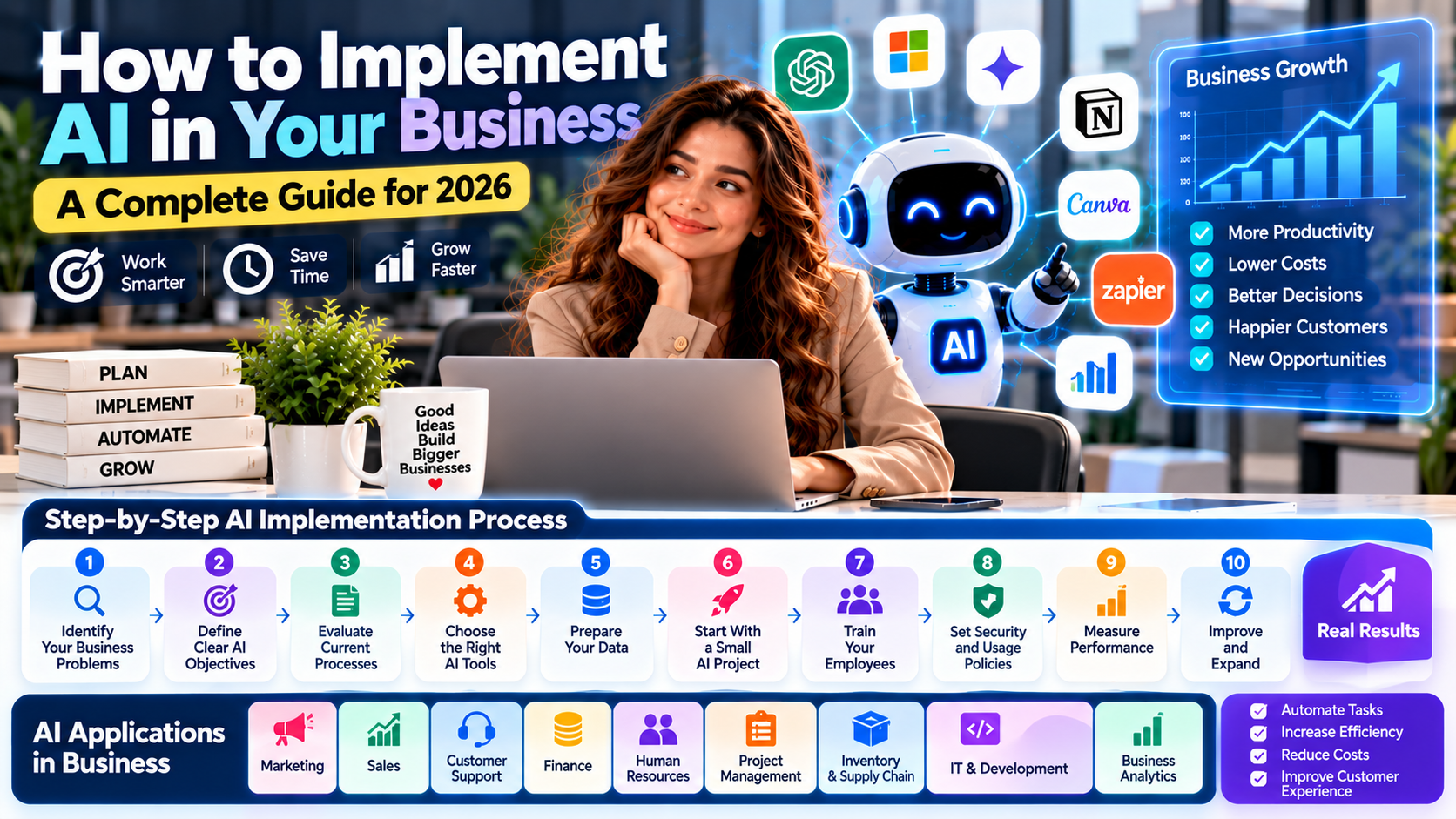
How to Implement RPA in a Business
Successful RPA implementation begins with selecting the right processes and understanding how work is currently performed.
Businesses should follow a structured approach.
Step 1: Identify Suitable Processes
Look for repetitive tasks that involve clear rules and predictable digital actions.
Good starting examples include:
Data entry
Invoice processing
Report generation
Customer record updates
Routine email processing
Step 2: Analyze the Existing Workflow
Document each step of the selected process.
Identify inputs, outputs, decision points, exceptions, and applications involved.
Step 3: Calculate Potential Benefits
Estimate the time currently spent on the task and the expected reduction in manual effort.
Consider software costs, development, maintenance, and employee training when evaluating return on investment.
Step 4: Choose an RPA Platform
Select a platform that supports the required applications, security controls, workflow complexity, and deployment model.
Step 5: Build a Pilot Automation
Start with a limited workflow rather than automating the entire department immediately.
Test the bot with realistic data and different scenarios.
Step 6: Establish Security Controls
Use secure credential storage, role-based access, activity logs, and appropriate permissions.
Bots should receive only the access necessary to perform their assigned tasks.
Step 7: Train Employees
Explain how the automation works and how employees should handle exceptions.
Training helps employees understand how automation changes their responsibilities.
Step 8: Deploy and Monitor
Move the tested automation into production.
Monitor execution results, failures, processing time, and business outcomes.
Step 9: Expand Gradually
After the pilot demonstrates measurable value, consider automating additional processes.
Continue reviewing performance and maintaining workflows as business systems change.
How to Measure RPA Success
Businesses should measure automation using meaningful operational and financial indicators.
KPI | What It Measures |
|---|---|
Processing Time | Time required to complete a task |
Automation Rate | Percentage of eligible work completed automatically |
Error Rate | Frequency of incorrect or failed processing |
Bot Utilization | How effectively available bots are used |
Cost per Transaction | Operational cost of processing an activity |
Exception Rate | Percentage of tasks requiring human intervention |
Return on Investment | Financial value compared with automation costs |
For example, a business that automates invoice entry should measure processing time, data accuracy, exception frequency, and total operating costs before and after implementation.
Automation should be evaluated by its actual business results rather than the number of bots deployed.
What Is the Future of RPA in 2026 and Beyond?
RPA is evolving as businesses combine traditional automation with AI, cloud platforms, and intelligent workflow technologies.
Several developments are shaping its future.
1. Intelligent Automation
Traditional RPA is increasingly being combined with AI technologies that can interpret documents, classify information, and support more complex workflows.
2. Generative AI Integration
Generative AI can assist with tasks involving text, document understanding, email drafting, and information extraction.
When combined with RPA, it can support broader workflows that require both interpretation and structured execution.
However, AI-generated information should be validated before important business actions are taken.
3. Hyperautomation
Hyperautomation refers to a broader approach that combines multiple technologies to automate as many suitable business processes as possible.
It may include RPA, AI, machine learning, process mining, workflow management, and integration tools.
4. Cloud-Based Automation
Cloud automation platforms make it easier for organizations to manage workflows across different applications and locations.
They can also support centralized monitoring and automation management.
5. Process Mining
Process mining analyzes event logs from business systems to understand how processes actually operate.
Organizations can use these insights to identify bottlenecks and discover automation opportunities.
6. Human-in-the-Loop Automation
Future automation systems will continue to combine software execution with human review.
Employees may handle unusual cases, approve sensitive actions, and supervise automated workflows.
7. Stronger Automation Security
As organizations automate more sensitive processes, secure credentials, access management, monitoring, and governance will become increasingly important.
The future of RPA will not simply involve more bots. It will involve better-designed automation systems that combine technology with human expertise.
Frequently Asked Questions About Robotic Process Automation
1. What is Robotic Process Automation in simple words?
Robotic Process Automation is a technology that uses software bots to perform repetitive computer-based tasks automatically, such as entering data, processing invoices, and generating reports.
2. What are the three main types of RPA?
The three commonly discussed types are attended RPA, unattended RPA, and hybrid RPA.
3. How does RPA work?
RPA follows predefined instructions to interact with applications, process information, complete tasks, and record results.
4. What are examples of RPA?
Examples include invoice processing, data entry, customer record updates, email management, payroll administration, report generation, and order processing.
5. What are the benefits of RPA?
RPA can improve productivity, speed up repetitive tasks, reduce manual data entry errors, support consistent processing, and free employees to focus on higher-value activities.
6. Is RPA the same as artificial intelligence?
No. RPA automates predefined tasks, while AI analyzes information and can support predictions, language understanding, and more complex decision-making. Both technologies can work together.
7. Which RPA tools are popular?
Popular platforms include UiPath, Microsoft Power Automate, Automation Anywhere, SS&C Blue Prism, and Robocorp.
8. Can small businesses use RPA?
Yes. Small businesses can use RPA for repetitive administrative activities such as invoice entry, spreadsheet updates, customer records, and report generation. The investment should match the expected business benefits.
9. Will RPA replace human employees?
RPA can automate selected tasks, but it does not automatically replace entire jobs. It can change how employees work by reducing repetitive activities and increasing the importance of supervision, problem-solving, and decision-making.
10. What is the future of RPA?
The future of RPA will involve greater integration with AI, generative AI, process mining, cloud automation, intelligent document processing, and human-supervised workflows.
Conclusion
Robotic Process Automation is helping organizations reduce repetitive digital work and improve the efficiency of everyday business operations.
By using software bots to handle structured tasks such as data entry, invoice processing, customer record updates, and report generation, businesses can reduce manual workloads and create more consistent workflows.
However, successful automation requires careful process selection, reliable system integration, secure access management, and ongoing monitoring.
As RPA combines with artificial intelligence and other emerging technologies, it is becoming part of a broader intelligent automation strategy.
For businesses planning their digital transformation, understanding RPA is an important step toward building more efficient, scalable, and productive operations.